Choose Whatagraph when you need polished cross-channel client reporting, but compare it with AgencyAnalytics and DashThis before you commit to a long contract. Whatagraph says it supports 50+ integrations, which matters if your agency reports across SEO, PPC, social, ecommerce, and email in one place [source: Whatagraph].
TLDR: Whatagraph is a strong fit for agencies that want clean, visual reports with less manual formatting. AgencyAnalytics is often better for SEO-heavy teams that need rank tracking, site audits, and client portals. DashThis works well for simpler dashboard delivery when speed matters more than deep control. For example, an agency managing 18 clients could cut a 6-hour monthly reporting task to about 2 hours if templates, automated delivery, and reusable widgets are set up correctly.
Where Whatagraph fits
Whatagraph sits in the serious agency reporting category. It is built for teams that send recurring reports to clients and need the data to look clear without spending half a day fixing charts.
The core use case is simple: connect marketing channels, build a report once, then reuse it across clients. That sounds basic. Yet it is where many reporting tools either save time or create quiet admin pain.
Whatagraph is strongest when reports need to feel client-ready. Its templates, branding settings, and visual structure are built for presentation. If your clients skim reports in five minutes, that matters. A clean report can stop the usual back-and-forth: “What does this metric mean?” or “Where did this number come from?”
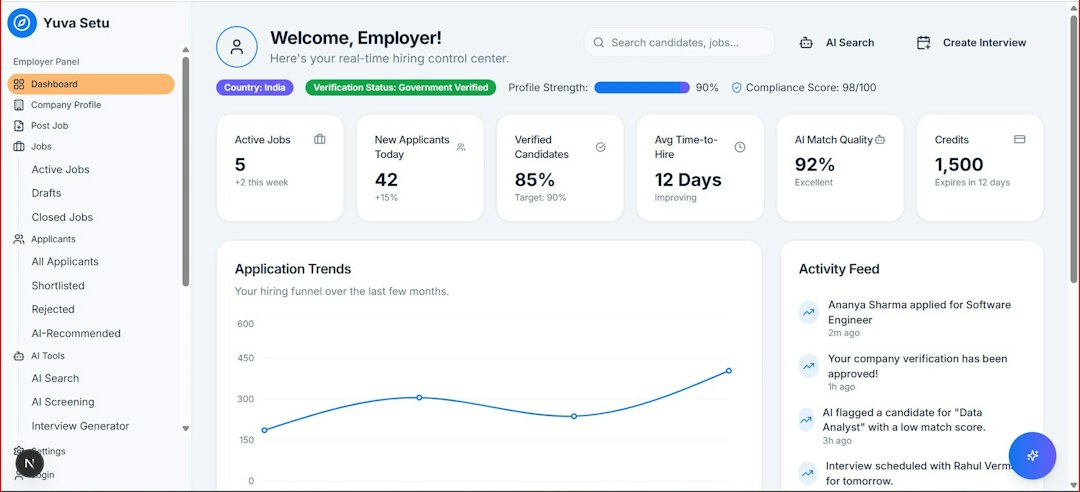
Whatagraph vs AgencyAnalytics
AgencyAnalytics is one of the closest alternatives. It is very agency-focused, and it has a strong base in SEO reporting. It includes tools for rank tracking, backlink monitoring, site audits, and client dashboards. The company lists 80+ marketing integrations [source: AgencyAnalytics].
Pick AgencyAnalytics if:
- You run SEO retainers and need keyword ranking data inside the same platform.
- You want client logins and portals as part of your reporting process.
- Your team prefers practical dashboards over highly styled reports.
- You need agency workflow features, not just monthly PDFs.
Pick Whatagraph if:
- Your reports need strong visual polish.
- You often combine paid ads, social, ecommerce, and web analytics.
- You want to build repeatable report templates for account managers.
- Your clients care about presentation as much as raw data.
Honestly, it feels like AgencyAnalytics is easier to justify for SEO agencies, while Whatagraph feels more natural for multi-channel reporting. That is not a small difference. A PPC and social agency may not care about rank tracking. An SEO agency may care a lot.
Whatagraph vs DashThis
DashThis is often chosen for its simplicity. It focuses on marketing dashboards and automated reports. It is not trying to be a full analytics workspace. That can be a good thing.
DashThis may suit agencies that want to set up a dashboard quickly, send it to clients, and move on. It has prebuilt templates and integrations with common tools such as Google Analytics, Google Ads, Meta, LinkedIn, and others.
DashThis works best when:
- You need simple recurring dashboards.
- You do not want a steep setup process.
- Your clients prefer high-level summaries.
- Your team does not need deep customization.
Whatagraph is better when:
- You need richer visual storytelling.
- You manage many report formats for different client types.
- You want more control over how the report looks.
- You need to scale reporting across account managers.
The catch is that “simple” can become limiting. If a client asks for a custom breakdown by market, campaign type, and channel, a basic dashboard can start feeling cramped. Expect to spend extra time if the tool does not support the exact view your client wants.
What to check before choosing
Do not choose based only on the number of integrations. That number can be misleading. One platform may connect to a tool, but still miss the fields you need.
Check these items before buying:
- Data freshness: How often does each connector update?
- Metric control: Can you rename, filter, and blend metrics?
- Template reuse: Can you clone reports across clients fast?
- White-label options: Can reports match your agency brand?
- Client access: Do clients need dashboards, PDFs, or both?
- Support quality: Can you get help when a connector breaks?
If you work with real-time reporting or large data systems, you may also need tools outside classic marketing reporting. For that, this guide to real-time data pipelines and interactive dashboards is worth reading. It covers a different layer of analytics, where speed and infrastructure matter more than client-ready styling.
Best-fit summary
Whatagraph is best for agencies that want clean, branded, multi-channel reports. It is strong for client communication and recurring reporting. It can help reduce manual work, especially when teams use templates properly.
AgencyAnalytics is best for SEO and full-service digital agencies that want reporting plus agency-specific tools. Its client portal and SEO features make it practical for retainers.
DashThis is best for teams that want simple dashboards without much fuss. It is a sensible choice when reports are straightforward and clients do not need heavy customization.
For social-heavy teams, reporting tools should also be judged by how well they support platform-specific growth work. If TikTok is a major channel, compare reporting against tactical analytics needs using this guide on TikTok analytics and view growth.
The practical answer is this: use Whatagraph if your agency sells clarity, polish, and multi-channel reporting. Use AgencyAnalytics if SEO workflow is central. Use DashThis if speed and simplicity matter most. The best platform is the one your team will actually use every month without quietly rebuilding reports in spreadsheets.