ChatGPT can help make videos, but it usually does not create a finished video file by itself unless it is connected to a video generation or editing tool. It is best used as the brain of the process: writing scripts, planning shots, creating prompts, building storyboards, generating voiceover text, and fixing weak video concepts before production starts.
TLDR: ChatGPT is not just a chatbot when used for video work; it can act like a scriptwriter, creative director, editor, and production planner. A small marketing team could use ChatGPT to turn one product idea into a 30-second ad script, 8 visual prompts, 3 caption options, and a shot list in under 15 minutes. If that saves even 2 hours per video, a team making 20 short clips a month could recover about 40 production hours. The final video still needs another tool such as Sora, Runway, Pika, Luma, Synthesia, HeyGen, CapCut, or Adobe Premiere Pro.
What ChatGPT Can Actually Do for Video
ChatGPT does not work like a camera, a full editing suite, or a rendering engine in the basic sense. It does not simply receive a sentence and always return a polished MP4. Its strongest role is video planning and creative control.
It can write a complete video script, suggest scene ideas, build a visual sequence, improve dialogue, shorten narration, create social media captions, and generate prompts for AI video tools. It can also help choose music style, pacing, camera angles, lighting mood, and thumbnail concepts.
For creators, this matters because most video projects fail before editing begins. The idea is vague. The hook is weak. The scenes do not match. The call to action feels forced. ChatGPT can fix those early issues fast.
Can ChatGPT Generate AI Videos Directly?
The answer depends on the setup. In some cases, ChatGPT may be connected to image, video, or automation features. In many common workflows, though, ChatGPT creates the instructions, and another AI tool generates the footage.
A typical process looks like this:
- ChatGPT writes the concept: It defines the goal, audience, tone, and structure.
- ChatGPT creates the script: It writes narration, dialogue, captions, and scene notes.
- ChatGPT builds prompts: It turns each scene into detailed text prompts for video generators.
- An AI video tool creates clips: Tools such as Sora, Runway, Pika, Luma, or Kling produce short video shots.
- An editor assembles the result: CapCut, Descript, Premiere Pro, DaVinci Resolve, or similar software handles timing, audio, text, and export.
The catch is that AI video tools can still be fussy. A prompt that looks perfect may produce strange hands, odd motion, flickering logos, or a character who changes clothes between scenes. Expect to waste time on retries, especially for brand work or character consistency.
Best AI Video Generation Workflows Using ChatGPT
1. Script to video workflow
This is the simplest path. ChatGPT writes a script for a short video, then breaks it into scenes. Each scene gets a prompt, voiceover line, caption, and timing. The creator sends the prompts to a video generator and edits the clips together.
Best for: ads, explainers, TikTok videos, Instagram Reels, YouTube Shorts, product teasers.
2. Image to video workflow
ChatGPT helps describe a still image or product photo, then creates motion prompts. A tool such as Runway, Pika, or Luma can animate the image. This works well for fashion, packaging, food, architecture, and concept art.
Best for: product showcases, portfolio clips, mood videos, ecommerce content.
3. Avatar video workflow
ChatGPT writes a presenter script. An avatar platform such as Synthesia or HeyGen turns it into a talking-head video. Voice, language, gesture, and background choices are added inside the avatar tool.
Best for: training videos, internal updates, onboarding, FAQ explainers.
4. Repurposing workflow
ChatGPT can turn a blog post, webinar transcript, podcast, or sales page into a series of short video scripts. It can create hooks, title ideas, subtitles, and versions for different platforms.
Best for: content teams that need more output without filming every day.
Available Tools That Pair Well With ChatGPT
Sora is known for text-to-video generation and cinematic scene creation. It is useful for realistic shots, concept videos, and imaginative scenes when access is available.
Runway supports text-to-video, image-to-video, background removal, motion tools, and editing features. It suits creators who want both generation and post-production controls.
Pika is popular for short, stylized clips and quick experiments. It can be useful for social content, visual effects, and playful motion ideas.
Luma Dream Machine can generate smooth motion and camera movement from text or images. It is often used for cinematic tests and product-style shots.
Synthesia and HeyGen focus on avatar videos. They help produce presenter-led content without a studio, camera, or actor.
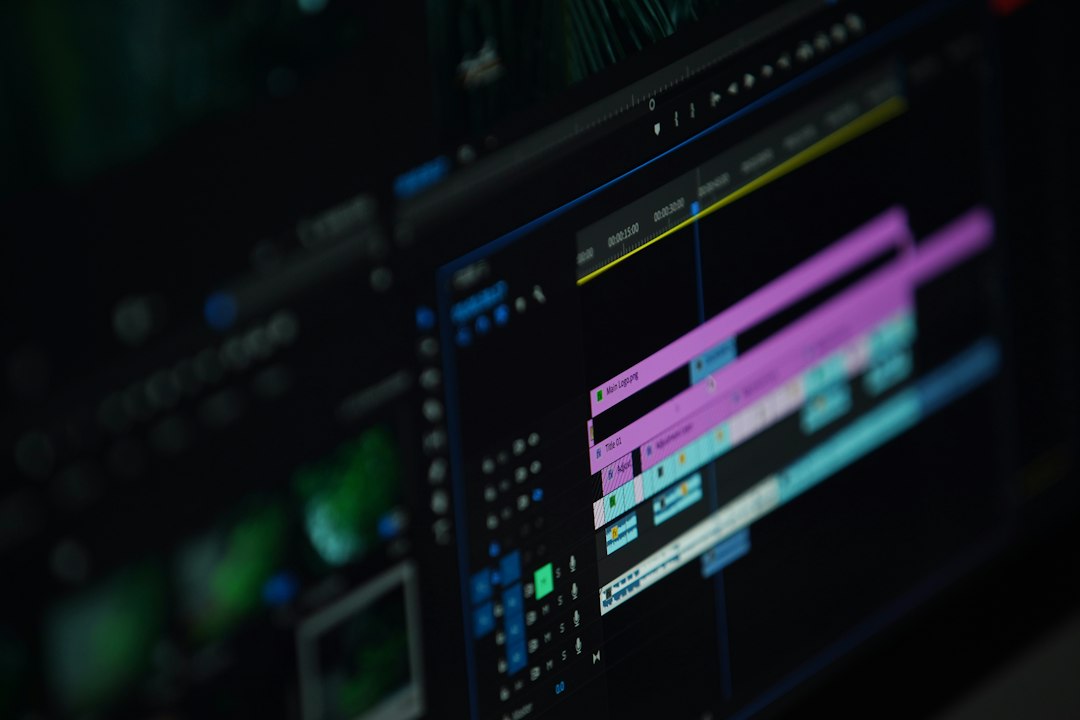
Descript is strong for transcript-based editing. Creators can edit video by editing text, clean audio, add captions, and cut filler words.
CapCut is useful for fast social edits. It offers captions, templates, effects, and mobile-friendly editing.
Adobe Premiere Pro and DaVinci Resolve remain better choices for serious editing. They give more control over color, sound, pacing, and final polish.
Creative Use Cases for ChatGPT Video Projects
Marketing teams can use ChatGPT to create ad variations. One product benefit can become five hooks, three scripts, and several platform-specific caption sets.
Educators can turn lessons into short explainer videos. ChatGPT can simplify complex topics, write narration, and suggest visuals for each learning point.
Real estate agents can create neighborhood videos, listing walkthrough scripts, and voiceovers for property reels.
Podcasters can convert long episodes into short clips. ChatGPT can find strong quotes, write intro text, and suggest on-screen captions.
Game designers and filmmakers can test scenes before production. Instead of paying for an early concept shoot, they can generate rough mood clips first.
Customer support teams can create help videos from support documents. ChatGPT can rewrite dense instructions into a friendly 60-second walkthrough.
Limitations Creators Should Expect
AI video is powerful, but it is not magic. Character consistency is still a headache. Text inside generated video often looks wrong. Hands, faces, logos, and product details can shift between frames.
Honestly, it feels like some tools get 80% of the job done quickly, then take another hour to fix the last 20%. That last part matters. A brand logo cannot wobble. A product demo cannot show the wrong button. A training video cannot invent steps.
There are also copyright and privacy concerns. Teams should avoid uploading private client material or asking AI tools to copy living artists, actors, or protected brand styles. For commercial use, every platform’s terms should be checked before publishing.
How to Get Better Results
- Start with a tight brief: Include audience, goal, tone, length, platform, and call to action.
- Ask ChatGPT for a shot list: Scenes should be clear before generation begins.
- Use short prompts: Overloaded prompts can confuse video tools.
- Keep scenes short: Five-second clips are easier to control than long shots.
- Edit manually: AI output usually needs trimming, sound mixing, captions, and brand checks.
- Create multiple versions: A/B testing hooks and thumbnails often improves performance.
FAQ
Can ChatGPT make a video from text?
ChatGPT can write the script and prompts, but a separate video tool usually creates the actual video file.
Can ChatGPT edit videos?
It can suggest edits, create cut lists, rewrite captions, and analyze transcripts. The editing itself is done in software such as Descript, CapCut, Premiere Pro, or DaVinci Resolve.
What is the best workflow for beginners?
A beginner should ask ChatGPT for a 30-second script, scene list, and AI video prompts. Then they can generate clips in a video tool and assemble them in CapCut or Descript.
Can businesses use AI-generated videos commercially?
Often yes, but usage rights depend on the tool, subscription plan, source assets, and local rules. Legal review is wise for ads, client work, and branded campaigns.
Will ChatGPT replace video editors?
No. It can reduce planning time and speed up drafts, but skilled editors are still needed for story flow, taste, pacing, audio, color, and final quality.