Yes, you can download songs from Spotify, but only for offline listening inside the Spotify app. You do not get MP3 files. You do not get files you can move to a USB stick. Spotify says Premium users can download music for offline listening, while free users can download podcasts only [source: Spotify].
TLDR: Spotify downloads are app-only. For example, if Mia has Spotify Premium and a 6-hour flight, she can download a 120-song playlist at home, then listen with no Wi-Fi on the plane. Spotify allows up to 10,000 tracks per device on up to 5 devices, which is plenty for most people. But if Mia cancels Premium, those downloaded songs stop working.
So, can you download songs from Spotify?
Yes. But the word download is a little sneaky here.
When most people say “download,” they mean this:
- Get an MP3 file.
- Save it in a folder.
- Move it to another device.
- Keep it forever.
Spotify does not work like that.
Spotify downloads are saved inside the app. They are locked to your account. They are made for offline playback only. That means you can listen without internet, but you cannot copy the song file somewhere else.
Honestly, it feels like calling this “saving for offline” would be clearer. But “download” is the word most apps use, so here we are.
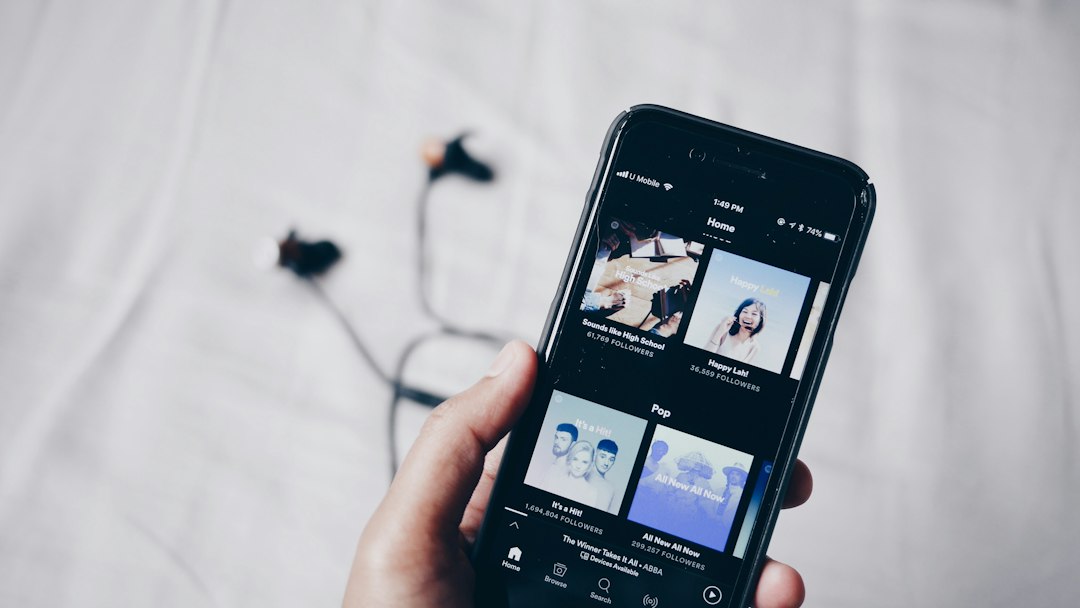
Who can download music from Spotify?
You need Spotify Premium to download music.
That includes songs, albums, and playlists. If you use the free Spotify plan, you cannot download songs for offline listening. You can stream with ads. You can download some podcasts. But music downloads are a Premium feature.
Here is the simple split:
- Spotify Free: stream music online, download podcasts only.
- Spotify Premium: download playlists, albums, and podcasts for offline use.
- Spotify Premium Student, Duo, or Family: same music download feature, if your account is active.
Can you download a single song?
This part annoys people. Fair enough.
Spotify does not always give you a clean “download this one song” button in the way you may expect. The usual fix is easy:
- Create a new playlist.
- Add the song to that playlist.
- Download the playlist.
So yes, you can save one song offline. You just may need to put it in a playlist first. It takes a few extra taps. Not terrible. Still a bit clunky.
How to download songs on the Spotify mobile app
This works on iPhone, iPad, and Android.
- Open the Spotify app.
- Find the album or playlist you want.
- Tap the Download button.
- Wait for the arrow icon to turn green.
- Turn on Offline Mode if you want to test it.
That is it. Try this over Wi-Fi first. A big playlist can eat mobile data fast. Nobody wants their monthly data plan destroyed by a 9-hour road trip playlist.
You can also download podcasts. On some shows, you may see a download icon next to each episode.
How to download songs on Spotify desktop
You can also download with the desktop app for Windows or Mac.
- Open the Spotify desktop app.
- Go to a playlist or album.
- Click the Download switch.
- Wait until the download finishes.
Do not use the web player for this. Downloads work through the app, not normal browser playback.
Where do Spotify downloads go?
They stay inside Spotify.
You may see storage space being used on your phone or computer. But you will not get normal music files. You cannot open a folder and grab clean MP3s. Spotify stores offline songs in a protected format.
This is done to control access. Your Premium account is the key. If the key stops working, the downloaded music stops working too.
Can you keep downloaded Spotify songs forever?
No. Not through Spotify.
Your downloads work while:
- Your Premium plan is active.
- You keep the Spotify app installed.
- You log in at least once every 30 days.
- The songs still exist on Spotify.
Spotify may remove downloads if you log out, reinstall the app, clear storage, or switch devices. Also, Spotify says you need to go online at least once every 30 days to keep your downloads active [source: Spotify].
That 30-day check can be irritating. You think your travel playlist is safe. Then your old tablet has not opened Spotify in weeks. Suddenly, no music. Great. Perfect timing.
How many songs can you download?
Spotify lets Premium users download up to 10,000 songs on each of up to 5 devices. That is up to 50,000 offline song slots across your account.
For most listeners, that is more than enough. A 1,000-song library can last for days. A 10,000-song phone is a tiny music bunker.
Still, storage matters. Download quality also matters. Higher quality sounds better, but it uses more space. If your phone is always screaming “storage full,” lower the download quality or remove old playlists.
How to change download quality
You can pick the quality level in Spotify settings.
- Open Settings.
- Find Audio Quality.
- Look for Download quality.
- Choose a level that fits your storage.
If you have a newer phone with lots of space, high quality is nice. If you are using an older phone with 32 GB, be careful. One huge playlist can become the villain.
Can you download Spotify songs as MP3?
No, not officially.
Spotify does not offer an MP3 export button. There is no legal Spotify feature that turns streamed songs into regular audio files. Any site or app that claims to “rip Spotify to MP3” is not an official method.
Those tools can be risky. They may break Spotify’s rules. They may also be full of malware, weird pop-ups, or fake buttons. Expect to waste time on pages with five “Download Now” buttons and only one of them does anything useful. Sometimes none of them do.
If you want actual music files, use a store that sells downloads. Examples include artists’ own websites, Bandcamp, Amazon Music’s store in some regions, or other legal download shops.
What about Spotify local files?
Spotify has a feature called Local Files. This lets you play music files you already own through Spotify.
But that is not the same as downloading songs from Spotify.
Think of it like this:
- Spotify downloads: Spotify music saved inside the app for offline listening.
- Local files: your own music files added into Spotify for playback.
Local files can be useful if you have rare tracks, demos, or old MP3s. But they do not unlock Spotify songs as files.
Best official method for offline listening
The best official method is simple:
- Get Spotify Premium.
- Create playlists for trips, workouts, or bad Wi-Fi zones.
- Download them over Wi-Fi.
- Open Spotify before you leave home.
- Check that every playlist has the green download icon.
This is the least painful way to use Spotify offline. It is also the method Spotify supports.
Quick answers
- Can I download songs from Spotify? Yes, with Premium, inside the app.
- Can I download Spotify songs for free? Not music. Free users can download podcasts.
- Can I save Spotify songs as MP3? No official method exists.
- Can I move downloads to another device? No. Download again on that device.
- Do downloads work after canceling Premium? No.
- Do I need internet after downloading? Sometimes. Spotify needs an online check at least every 30 days.
Final verdict
You can download songs from Spotify, but only in the official offline listening sense. It is great for flights, commutes, gyms, and places with terrible signal. Just remember the big rule: Spotify downloads are not yours as files. They are rentals inside the app while your Premium account stays active.