
Web hosting performance doesn’t manage itself. Even a well-configured server may quietly develop issues, and by the time visitors notice them, the damage has already occurred. Monitoring tools change that dynamic. They give teams real-time visibility into what’s happening beneath the surface, so they can identify and address issues early and before they affect users. Knowing which tools to use and how to use them well is what separates proactive hosting management from reactive damage control.
Uptime Monitoring Tools
Availability is the baseline. If a site is down, nothing else matters. Uptime monitoring tools check whether a site is accessible at regular intervals, typically every one to five minutes, and send alerts the moment they detect a problem. The faster the alert, the faster the response. Look for tools that monitor from multiple geographic locations simultaneously, since a server issue may affect some regions before others. Consistent uptime data also provides useful evidence when evaluating hosting provider performance over time.
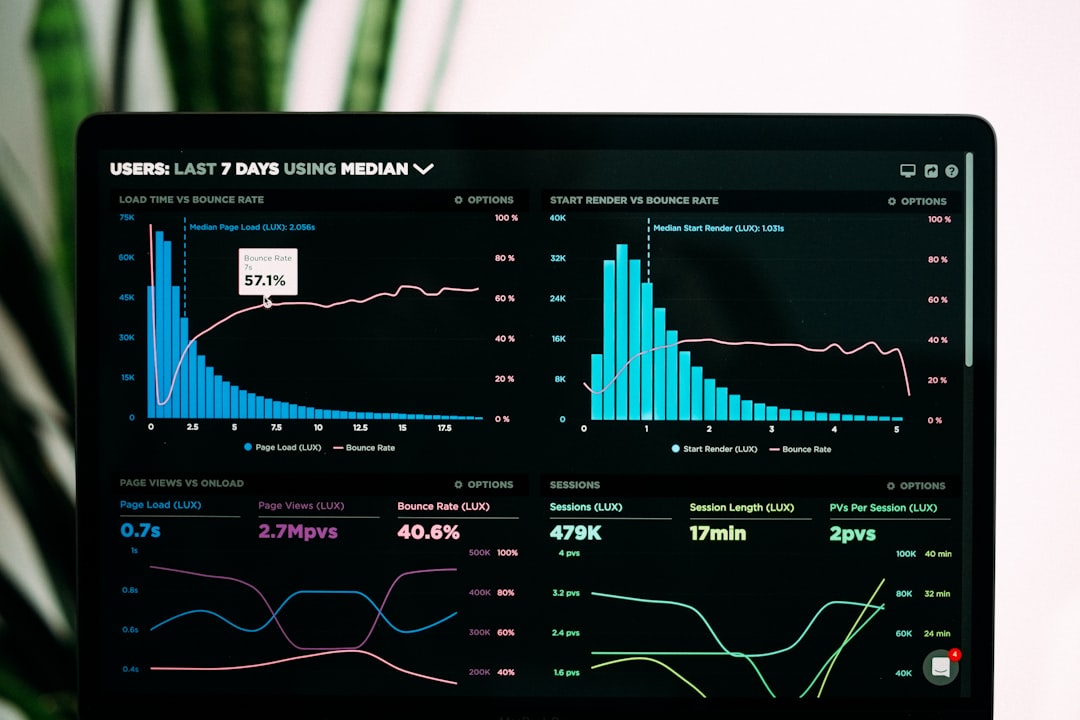
Server Response Time Trackers
A site can be technically “up” but still work poorly. Server response time measures how long it takes for the server to start sending content after receiving a request. Users get frustrated when response times are slow, and such responses can be a sign of deeper problems like running out of resources or inefficient processing. Tools that keep an eye on response time all the time show patterns that one-time checks won’t see. If response times start to rise during certain hours, that’s a sign that something needs to be looked into before it becomes a problem for users.
Real User Monitoring (RUM)
Synthetic tests show how a site works when the conditions are right. Real user monitoring shows how well it works for the people who use it. RUM gathers information from real sessions, like how long it takes to load, how long it takes for interactions to happen, and how often errors happen on different devices, browsers, and locations. This information gives us a much better idea of what visitors really experience. For teams that want to convert and keep customers, RUM data can be linked to business results, not just the health of the infrastructure.
Tools Built Around Professional Workflows
Teams that host multiple clients need monitoring that can grow with their workload. Managing individual dashboards for each site quickly becomes unsustainable. Choosing purpose-built web hosting for agencies with centralized monitoring built into the management interface makes a significant difference. When performance data for all client sites is visible in one place, spotting anomalies and responding to issues becomes considerably faster. When performance data for all client sites is visible in one place, spotting anomalies and responding to issues becomes considerably faster. That efficiency directly affects the quality of service delivered to every client on the roster.
Application Performance Monitoring (APM)
Infrastructure metrics tell part of the story. Application performance monitoring fills in the rest. APM tools keep an eye on how the application works, such as how well it queries the database, how often it fails, how much memory it uses, and where the code is slowing it down. APM data typically identifies the precise cause of sudden site slowdowns within minutes. Dynamic sites running complicated apps particularly benefit from this level of detail, as performance problems on complex sites rarely stem from a single obvious cause.
Log Analysis Tools
Server logs capture a detailed record of everything that happens on a site. The challenge is that raw logs are difficult to read at volume. Log analysis tools break down and show that data in a way that makes it easy to see patterns that would take hours to find by hand. Logs reveal repeated error codes, unusual traffic spikes, and suspicious access patterns before they escalate. Making log review a routine practice, rather than a reactive measure, gives teams a genuine early warning system.
Content Delivery Network Performance Monitors
For sites that use a CDN to send content to multiple servers, keeping an eye on the CDN’s performance separately from the origin server gives a better idea of how the end user experiences the site. Tools made just for CDNs keep track of cache hit rates, response times for edge servers, and delivery performance in different areas. A high cache hit rate means visitors are getting content quickly from nearby servers rather than making round trips to the origin. Drops in that rate often indicate configuration issues that are easy to fix once identified.
Security and Availability Overlap
Some of the most critical performance disruptions come from security events rather than infrastructure failures. Distributed denial-of-service attacks, for example, overwhelm servers with traffic and cause outages that look similar to hardware failures in basic monitoring dashboards. Tools that combine performance monitoring with security event detection give a more complete picture of what’s actually happening. When an availability drop and a traffic anomaly occur simultaneously, that context shapes the response entirely.
Conclusion
No single tool covers everything. The most effective monitoring setups combine uptime tracking, response time analysis, real user data, and application-level insights into a coherent view of site health. Each layer reveals something the others can’t. Building that visibility into everyday hosting management, rather than treating it as an occasional task, is what keeps performance consistent and clients confident. The right tools don’t just identify problems. They help prevent them.