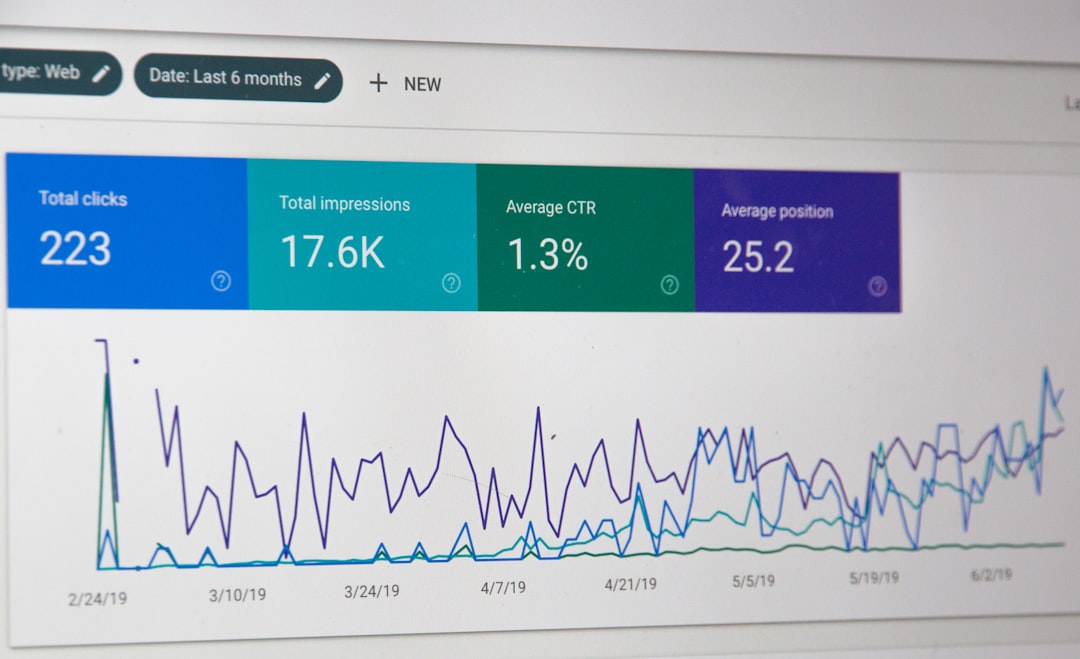
Your website is busy. People click buttons. Fill forms. Watch videos. Read blogs. Buy things. Behind the scenes, tiny bits of code are trying to record all of this. These bits of code are called tags. And a tag management system helps keep them from turning into a messy junk drawer.
TLDR: A tag management system, or TMS, is a tool that helps you manage marketing and analytics tags in one place. It makes tracking faster, cleaner, and easier to update. It also helps marketers collect better data without asking developers for every small change. In short, it turns website tracking from chaos into a neat little command center.
What Is a Tag?
A tag is a small piece of code added to a website or app. It sends information to another tool. That tool might be Google Analytics, Meta Ads, TikTok Ads, a heatmap tool, or an email platform.
Think of tags as tiny reporters. They watch what users do. Then they run back and say, “Someone clicked the red button!” or “Someone bought the sneakers!”
Tags can track many things, such as:
- Page views
- Button clicks
- Form submissions
- Purchases
- Video plays
- Downloads
- Ad conversions
Without tags, marketing tools would be mostly blind. They would not know what users do after they land on your site.

So, What Is a Tag Management System?
A tag management system is a platform that lets you add, edit, pause, and organize tags from one central place.
Instead of placing every tag directly into your website code, you place one main container code on the site. This container acts like a smart box. Inside the box, you control all your tags.
This means marketers can update tracking without touching the main website code each time. Developers still help set up the system the right way. But after that, many tracking changes become much easier.
Popular tag management systems include tools like Google Tag Manager, Adobe Experience Platform Tags, Tealium, and others.
Why Tags Get Messy Fast
At first, tracking seems simple. You add one analytics tag. Easy. Then you add an ad pixel. Still fine. Then a heatmap tag. Then a chat tool. Then five campaign tags. Then a conversion tag for each platform.
Suddenly, your website looks like a spaghetti bowl made of code.
This can cause problems:
- Slow pages: Too many tags can hurt load speed.
- Broken tracking: One bad tag can stop data from flowing.
- Duplicate data: The same event may fire twice.
- Developer delays: Every change needs a code update.
- Confusing reports: Bad data leads to bad decisions.
A TMS brings order to the mess. It is like giving your tags name tags, lockers, and a schedule.
How a Tag Management System Works
A TMS usually has three main parts: tags, triggers, and variables.
1. Tags
Tags are the code snippets that send data to tools. For example, a Google Analytics event tag may send data when someone clicks a “Buy Now” button.
2. Triggers
Triggers tell tags when to fire. A trigger might say, “Fire this tag when a visitor lands on the thank you page.” Or, “Fire this tag when someone clicks the newsletter button.”
3. Variables
Variables give extra details. They might capture the product name, price, page type, form name, or button text.
Together, these parts make tracking flexible. You decide what to track, when to track it, and what details to send.
How Tag Management Improves Marketing Analytics
Now for the good stuff. A TMS is not just a neat filing cabinet. It can make your marketing analytics much better.
It Makes Data More Accurate
Clean tracking means cleaner reports. A TMS helps you control when tags fire. This reduces duplicate events and missing data.
For example, you can make sure a purchase tag fires only after a real order is complete. Not when someone refreshes a page. Not when someone clicks back. Just when the purchase actually happens.
It Speeds Up Campaign Tracking
Marketing moves fast. Campaigns launch. Landing pages change. New platforms appear every five minutes wearing shiny shoes.
With a TMS, you can add or update tags faster. You do not need to wait days for every small code change. This helps teams test more ideas and react quickly.
It Helps Connect the Customer Journey
People do not move in straight lines. They see an ad. Leave. Come back from email. Read a blog. Compare prices. Then buy at midnight while eating cereal.
A TMS helps collect events from many steps in that journey. This gives marketers a clearer view of what really works.

It Improves Ad Measurement
Ad platforms need conversion data. They use it to report results and improve targeting. If your tags are wrong, your ad reports may lie to you. Politely. But still.
A TMS helps send the right conversion events to the right platforms. This can improve your view of return on ad spend, lead quality, and campaign value.
It Makes Testing Easier
Most tag management tools have preview and debug modes. These let you test tags before publishing them. You can see if a tag fires correctly. You can catch mistakes early.
This is like tasting soup before serving it. Smart. Safe. Less embarrassing.
Benefits for Marketers
Marketers love a good TMS because it gives them more control. They can move faster. They can measure more things. They can fix tracking without sending twelve follow up emails that begin with “just checking in.”
Main benefits include:
- Faster updates: Launch tracking changes quickly.
- Better reports: Use cleaner, more complete data.
- More independence: Reduce small developer requests.
- Smarter campaigns: Measure what drives results.
- Improved testing: Check tags before they go live.
Benefits for Developers
Developers also benefit. A TMS reduces random code requests. It keeps third party scripts more organized. It can also reduce the risk of marketers pasting code directly into important site files.
That last part may save everyone from a very spicy afternoon.
Developers can set rules, permissions, and best practices. Marketers can then work within a safer system.
What About Website Speed?
A TMS can help performance, but it is not magic fairy dust. If you load too many tags, your site can still slow down.
The key is tag hygiene. Pause old tags. Remove tools you no longer use. Load tags only when needed. For example, a video tracking tag should not fire on pages with no videos.
Good tag management is not just adding tags. It is also knowing when to say, “Nope, this tag has retired.”
Privacy and Consent Matter
Tracking comes with responsibility. Privacy laws and user consent rules are important. A TMS can help manage consent settings. It can block certain tags until a user agrees to cookies or tracking.
This is important for trust. It is also important for compliance. Your data strategy should respect users, not sneak around like a raccoon in sunglasses.

Common Tag Management Mistakes
A TMS is powerful. But it still needs care. Watch out for these common mistakes:
- No naming system: Use clear names for tags and triggers.
- No testing: Always preview before publishing.
- Too many tags: Keep only what you need.
- No documentation: Write down what each tag does.
- Wrong permissions: Limit who can publish changes.
Good structure saves time. It also saves your future self from shouting, “Who made this tag and why?”
Final Thoughts
A tag management system makes marketing analytics easier to manage and easier to trust. It helps teams track user actions, measure campaigns, and understand the customer journey. It also keeps website code cleaner and reduces slow, manual updates.
In simple terms, a TMS is the traffic controller for your tracking tools. It tells each tag when to go, where to go, and what to carry. When used well, it turns scattered data into useful insight. And that helps marketers make better decisions with less guesswork and fewer headaches.