Finding the author of a website can help a reader judge credibility, request permission, cite a source correctly, or contact the right person behind the content. While some websites clearly display author names, others hide ownership behind company pages, privacy services, or generic contact forms. With a careful process, a researcher can usually uncover who wrote, published, or is responsible for a web page.
TLDR: To find the author of a website, a person should first check the page itself, including the byline, footer, About page, and contact section. If that fails, they can examine the site’s source code, search the domain registration, review social media profiles, and use search engines strategically. For academic or professional use, the researcher should distinguish between the content author, the website owner, and the organization responsible for publication.
Start With the Page Itself
The simplest place to begin is the web page where the content appears. Many articles include a byline near the title, publication date, or end of the post. The author’s name may be linked to a profile page that lists a biography, credentials, email address, or other articles written by the same person.
If there is no obvious byline, the reader should examine the surrounding areas of the page. Useful places include:
- The top of the article: Author names often appear under the headline.
- The bottom of the article: Some websites place author bios after the main content.
- The sidebar: Blogs may show contributor information in a side panel.
- The footer: Business names, copyright details, and publisher information are often included there.
In some cases, the author may be listed as a staff writer, editorial team, administrator, or company name. This may not identify an individual, but it still provides a clue about who is responsible for the content.

Check the About, Contact, and Team Pages
If the article page does not reveal an author, the next step is to look for pages such as About, Contact, Our Team, Editorial Policy, or Contributors. These pages often explain who runs the website and who creates its content.
An About page may describe the founder, editor, company, or mission of the site. A Team page may list writers, editors, designers, and subject experts. A Contact page may not show the author directly, but it can provide an email address or form that allows the researcher to ask who wrote a specific page.
For citations, it is important to know whether the content was written by a named individual or by an organization. If a hospital, university, nonprofit, or company publishes the page without naming a person, the organization may be treated as the author.
Look at the Website Footer and Copyright Notice
The footer is often overlooked, but it can be valuable. A copyright notice may show the legal owner of the website. For example, a footer might say, “Copyright 2026 Example Media Group.” This does not always identify the writer of a specific article, but it indicates who controls or publishes the website.
The footer may also include links to legal pages, privacy policies, terms of service, or corporate information. These pages sometimes contain the registered business name, mailing address, or parent company. A researcher trying to verify the authority of a site should inspect these details carefully.
Use Search Engines Strategically
Search engines can reveal information that is not easy to find through navigation alone. A researcher can search the page title in quotation marks, followed by words such as author, by, or the website name. For example, searching for an exact article title may show snippets that include a hidden or previously visible author name.
Search operators can also help. A person may search:
- site:example.com author to find author pages on the website.
- site:example.com “written by” to locate bylines.
- “Article Title” “Author” to find references on other pages.
- “Website Name” “team” to find staff or contributor pages.
Search results may also uncover older versions, syndicated copies, or author profiles that are no longer visible on the main site.
Inspect the Page Source and Metadata
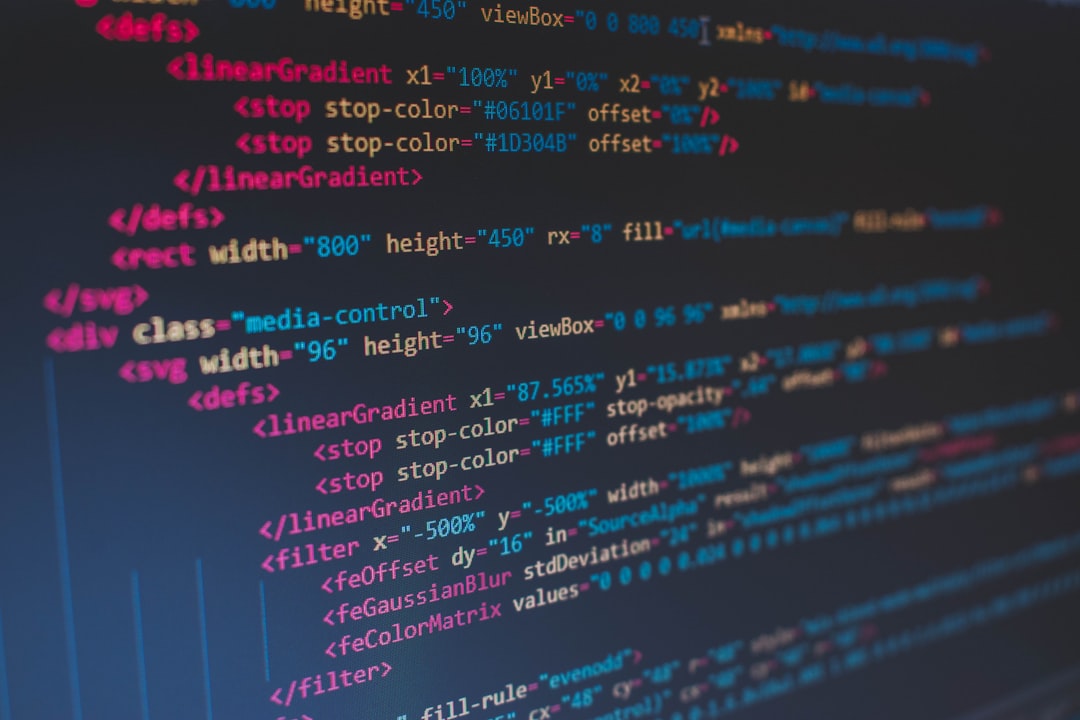
Some websites include author information in the code of the page, even when it is not displayed to visitors. A researcher can right-click on the page and choose View Page Source, or use browser developer tools. Then, searching within the code for terms such as author, creator, article:author, or schema may reveal useful metadata.
Structured data can be especially helpful. Many websites use schema markup to identify the author, publisher, date modified, and article type. Metadata is not always accurate, but it can provide another clue when the visible page is unclear.
Check Domain Registration Information
When the website owner is unknown, domain lookup tools can sometimes help. A WHOIS search may show the domain registrant, organization, registrar, creation date, or administrative contact. However, many domain owners use privacy protection, so personal details may be hidden.
Even when privacy protection is enabled, WHOIS information can still offer clues. The domain age, registrar, nameservers, or country may help a researcher understand whether the website appears established or recently created. For content authorship, domain records are usually less direct than author pages, but they can help identify the publisher or owner.
Review Social Media and External Profiles
Many websites link to social media accounts in the header, footer, or contact section. These accounts may identify the site owner, editor, or regular contributors. Platforms such as LinkedIn, X, Facebook, Instagram, YouTube, and personal portfolio sites can connect website content to real people.
If a website displays a brand name but not an author, searching that brand name together with terms like founder, editor, writer, or owner may reveal public profiles. LinkedIn is particularly useful for finding people who list a website, publication, or company as their employer.
Use Archived Versions of the Website
Sometimes an author name was removed during a redesign or content update. Web archives can show older versions of pages and reveal previous bylines, staff pages, or contact details. A researcher can enter the URL into an internet archive and compare snapshots over time.
This method is useful when a citation requires older publication details or when the current page has been simplified. However, archived information should be treated carefully because staff roles and ownership can change.
Contact the Website Directly
If research does not identify the author, contacting the website may be the most reliable option. A polite message should include the page URL, the reason for the request, and the specific information needed. For example, a student may ask for the author’s full name for citation purposes, while a journalist may request confirmation of editorial responsibility.
If no one responds, the researcher can cite the organization or website name, depending on the citation style being used. When no author is available, many style guides allow the title of the page to move into the author position.
Understand the Difference Between Author, Publisher, and Owner
Not every website has a single clear author. The author is the person or group that created the content. The publisher is the organization that makes the content available. The owner controls the domain or business behind the site. These may be the same person, but they may also be different.
For accurate evaluation, a researcher should ask what information is actually needed. If the goal is citation, the content author matters most. If the goal is trust and accountability, the publisher and owner also matter. If the goal is permission to reuse material, the copyright holder may be the correct contact.
FAQ
How can someone find the author if there is no byline?
They should check the About, Contact, Team, footer, and editorial policy pages. They can also search the page source, use search engines, review social media profiles, and contact the website directly.
Is the website owner always the author?
No. The owner may operate the website, while a writer, editor, agency, or staff team creates the content. The owner, publisher, and author can be different.
Can WHOIS identify the author of a website?
WHOIS can sometimes identify the domain owner or organization, but it rarely identifies the author of a specific page. Privacy protection may also hide registrant details.
What should be used in a citation when no author is listed?
The researcher should follow the required citation style. Often, the organization can be used as the author. If no organization is clear, the page title may be used instead.
Is metadata always trustworthy?
No. Metadata can be outdated, automatically generated, or copied from templates. It should be used as a clue and confirmed with visible site information when possible.