
GA4 changes can make SEO reports look worse, better, or just plain different, even when organic performance has not really changed. Treat every GA4 update as a measurement change first, not an SEO result. Before you explain a traffic drop or conversion shift, check attribution, consent settings, channel grouping, event setup, and date comparisons.
TLDR: GA4 updates can affect SEO reporting by changing how sessions, users, conversions, and attribution are counted. For example, a site may show a 14% drop in organic conversions after “conversions” are renamed or reconfigured as key events, while actual form submissions in the CRM stay almost flat. A content team might think rankings slipped, but the real issue could be consent mode, event tracking, or a new attribution model. Always compare GA4 data with Search Console, CRM leads, and raw event counts before calling an SEO win or loss.
Why GA4 Updates Matter for SEO Teams
SEO reporting used to feel more direct. You checked organic sessions, landing pages, conversions, and revenue. Then you told the story.
GA4 makes that harder. It is event-based, privacy-focused, and packed with attribution rules that can change how organic search gets credit. A small update can shift numbers across reports. That creates confusion for clients, managers, and even experienced analysts.
The annoying part is that GA4 often does not scream, “Your setup changed.” You just open a dashboard and see organic leads down 22%. Then you spend an hour trying to prove whether SEO broke or the tool simply counted things differently.

The Biggest GA4 Changes That Affect Organic Reporting
1. Conversions became key events
One of the most visible GA4 updates is the shift from calling tracked business actions “conversions” to calling them key events. This sounds cosmetic, but it can affect reporting habits.
If your dashboards, Looker Studio reports, or stakeholder templates still use older labels, data can look inconsistent. Teams may compare old conversion counts with new key event counts without checking whether the same events are selected.
For SEO, this matters because organic performance is often judged by key actions such as:
- Contact form submissions
- Quote requests
- Demo bookings
- Newsletter signups
- Product purchases
- Phone click events
If one event is removed, renamed, duplicated, or marked differently, organic performance can look distorted fast.
2. Attribution can shift credit away from organic search
GA4 uses data-driven attribution by default for many properties. That means credit may be shared across channels instead of assigned only to the final click.
This is useful in some cases. It can show that organic search helped start a journey before paid search, email, or direct visits finished the sale. But it can also frustrate SEO teams. Organic may drive the first visit, educate the user, and bring them back later, yet another channel may receive more visible credit.
Check attribution reports before reporting that SEO revenue dropped. The sale may still involve organic. It may just be credited in a different way.
Sessions, Users, and Engagement Are Not Universal Truths
GA4 session and user metrics are not equal to Universal Analytics metrics. They are built differently. If you compare them as if they are the same, your report will be misleading.
Engaged sessions are now a major quality metric. A session may count as engaged if it lasts longer than 10 seconds, includes a key event, or has at least two pageviews or screen views. That is helpful, but it changes the SEO conversation.
Instead of only saying, “Organic traffic increased by 18%,” you can say:
- Organic sessions rose by 18%
- Engaged organic sessions rose by 9%
- Average engagement time fell by 11%
- Key events from organic traffic stayed flat
That tells a much better story. It may show that rankings improved for broader terms, but the new visitors were less ready to act.
Consent Mode Can Make Organic Performance Look Uneven
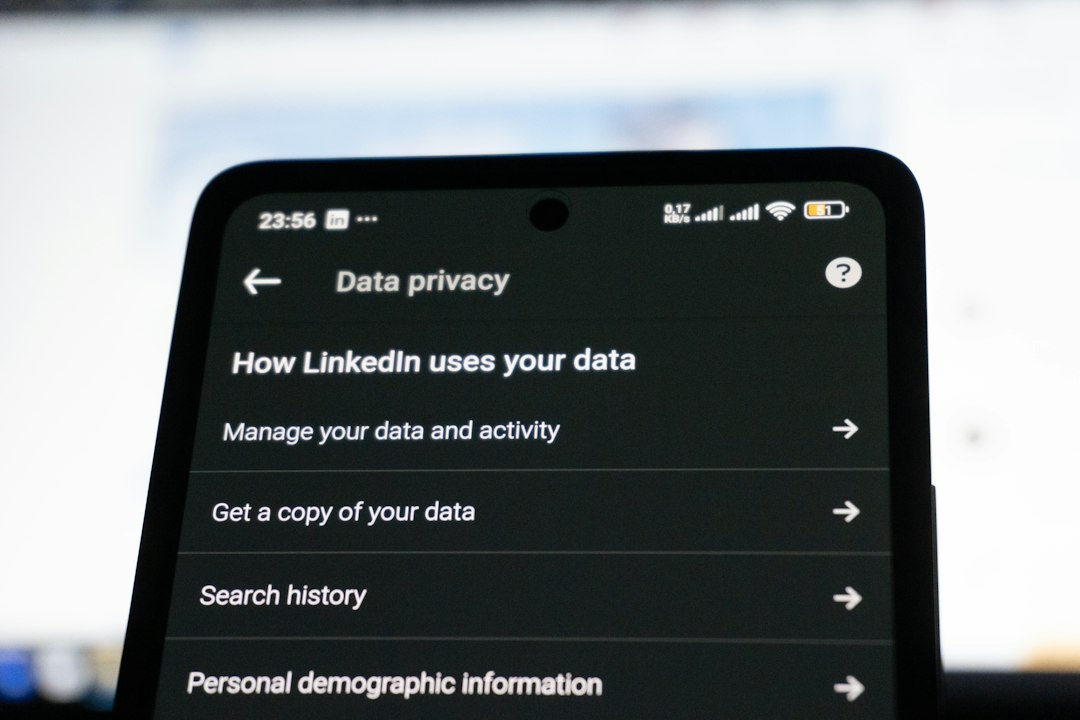
Privacy settings have a real impact on GA4 data. Consent mode, cookie banners, and regional privacy rules can reduce or model some data. If users decline tracking, GA4 may use modeled behavior where allowed.
That is not bad. It is a response to privacy rules. But it does mean reports may include estimated data in some areas. Organic traffic from regions with stricter consent behavior may look weaker than it really is.
Honestly, it feels like one of the easiest ways to misread GA4. A site can launch a new consent banner, and two weeks later everyone thinks SEO tanked. In reality, fewer users are being tracked in the same way.
Channel Grouping Can Change the Organic Story
GA4 channel grouping decides how traffic sources are categorized. Organic search should be simple, but it can get messy.
Search engines, referral sources, campaign tags, and custom rules can affect whether visits land in Organic Search, Referral, Unassigned, or another channel.
Watch for these issues:
- Organic traffic appearing as referral traffic from search engines
- Unassigned sessions increasing after campaign tagging changes
- AI search tools and newer discovery platforms being grouped oddly
- International search engines not being classified as organic
- UTM tags overriding natural organic classifications
If the channel grouping is wrong, every SEO report built on it becomes weaker. Fix this before building a narrative around gains or losses.
Landing Page Reports Need Extra Care
Landing page analysis is central to SEO. GA4 supports it, but it is not always as smooth as people expect.
Expect to waste time on comparisons that used to take fewer clicks. Some landing page views require custom reports, explorations, or edited standard reports. That slows down simple SEO checks, especially when you need quick answers.
Still, landing page data remains one of the best ways to assess organic performance. Focus on pages that:
- Gain organic entrances but lose engagement
- Lose impressions in Search Console and sessions in GA4
- Attract traffic but produce no key events
- Have strong rankings but weak engagement time
- Show high exits after content or layout changes
Do not judge pages on traffic alone. A blog post gaining 5,000 monthly organic visits sounds great. If it produces three signups and low engagement, it may not support business goals.
Search Console and GA4 Will Not Match
This is normal. Search Console measures search visibility and clicks from Google search results. GA4 measures site activity after users arrive and consent rules apply.
A page may show 10,000 clicks in Search Console and 8,200 organic sessions in GA4. That gap can happen for many reasons, including cookie consent, JavaScript issues, ad blockers, time zones, filters, and users leaving before GA4 loads.
Use both tools together:
- Search Console: queries, impressions, click through rate, average position
- GA4: engagement, events, revenue, landing page behavior
- CRM or ecommerce platform: lead quality, closed sales, order value

How to Protect SEO Reports from GA4 Confusion
Build a simple validation process. It saves awkward meetings.
- Annotate major tracking changes. Record consent banner launches, event edits, tag changes, and GA4 setting updates.
- Audit key events monthly. Confirm that forms, purchases, calls, and signups fire once and only once.
- Compare multiple sources. Use GA4, Search Console, rank tracking, server data, and sales systems.
- Segment branded and non branded SEO. Brand demand can hide content problems or make SEO look stronger than it is.
- Check attribution settings. Know whether organic is getting first click, last click, or shared credit in a report.
- Watch channel grouping. Review spikes in Unassigned, Referral, and Direct traffic.
What Organic Performance Analysis Should Include Now
A modern SEO report should not stop at traffic. GA4 pushes teams to connect visibility with behavior. That is a good thing, even if the interface can be clunky.
Include these metrics in your regular SEO analysis:
- Organic users and sessions
- Engaged organic sessions
- Engagement rate by landing page
- Organic key events
- Organic revenue or lead value
- Search Console clicks and impressions
- Query groups by intent
- Assisted conversions or attribution paths
The best SEO reporting now blends visibility, traffic quality, and business impact. GA4 updates can blur the picture, but they do not make organic analysis impossible. They just force better checking.
If organic traffic drops after a GA4 update, do not panic. First ask what changed in tracking, attribution, consent, events, and reporting logic. Then compare the data against search visibility and real business outcomes. That is how you separate an SEO problem from an analytics problem.