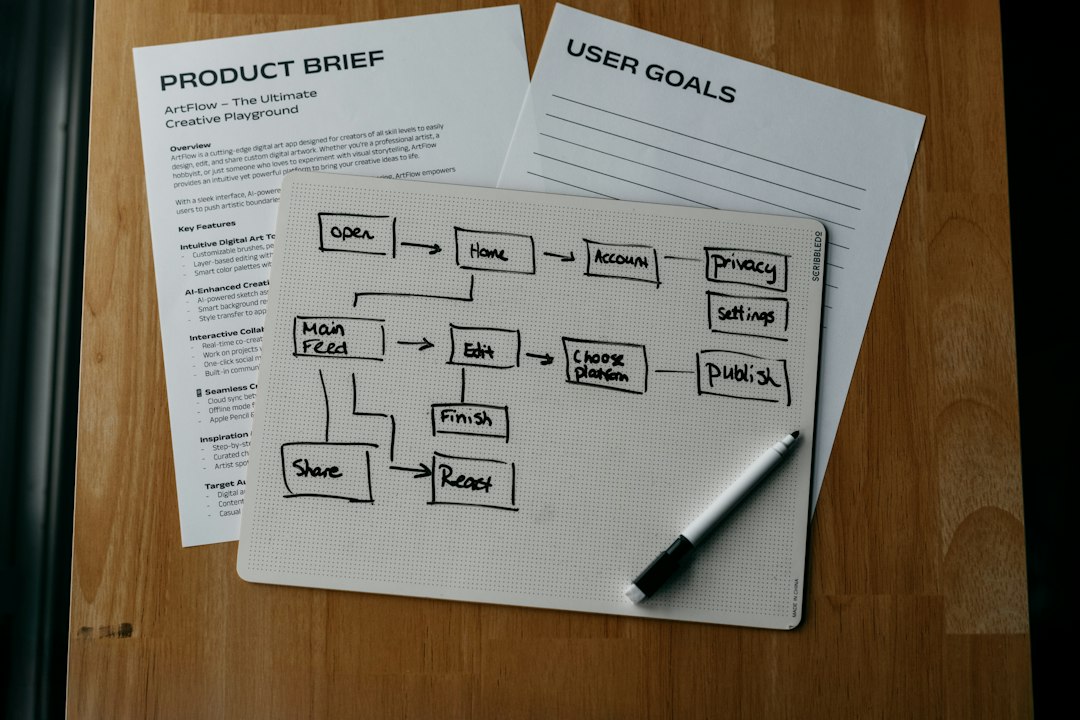
Pick Uizard if you want the fastest jump from idea to clickable mockup, and pick Visily if your team wants cleaner wireframes with less cleanup. Both tools are friendly. Both have free plans. Both can turn rough input into UI screens without making you cry into a design system.
TLDR: Uizard is great for solo founders, students, and product folks who want a prototype in minutes. Visily is better for teams that need tidy wireframes, reusable parts, and smooth edits. For example, a 3-person startup could sketch 5 app screens on paper, upload them, and get a first wireframe in about 20 minutes instead of spending 2 to 3 hours in a classic design tool. If your main goal is speed, try Uizard first; if your main goal is clarity, try Visily first.
Why these tools matter
Wireframes are the messy napkin stage of product design. They show what goes where. They help teams argue early, which is cheaper than arguing after development starts.
Old-school wireframing can feel heavy. You open a blank canvas. You drag boxes. You align things. You rename layers. Then someone says, “Can we make it more like Instagram?” Great. There goes lunch.
Uizard and Visily try to cut that pain. They use AI features, templates, screenshots, and smart components to speed things up. You can go from “I have an idea” to “click this rough demo” much faster.

Uizard in simple terms
Uizard is like a friendly design robot that loves quick drafts. You can start from text prompts, sketches, screenshots, or templates. It is built for speed.
You can type something like “a mobile app screen for booking dog walkers”. Uizard can generate a UI direction. You can then edit text, buttons, layouts, and colors.
It also offers sketch-to-design features. So yes, your ugly box drawing may become a real screen. Not always a perfect one. But good enough to start a chat.
Where Uizard shines
- Fast first drafts: It is very good when you need something now.
- Prompt-based design: You can describe the screen and get a visual start.
- Sketch uploads: Handy for whiteboard sessions and messy notebooks.
- Click-through prototypes: Good for simple demo flows.
- Beginner-friendly: You do not need to be a UI designer.
Uizard feels best when you need momentum. A founder can mock up a marketplace app before a pitch. A teacher can show a product idea to a class. A product manager can test a flow without waiting for design help.
The annoying bit? AI-generated screens can look a little generic. Expect to spend time fixing spacing, button sizes, and odd layout choices. Sometimes one small edit feels like it takes 15 seconds longer than it should because you are hunting for the right object.
Visily in simple terms
Visily feels more structured. It is built for teams that want fast wireframes without turning everything into visual confetti. It also supports AI features, screenshot conversion, templates, and collaboration.
Visily is strong when your team has a product idea and wants to shape it into neat screens. It is less “magic trick” and more “smart workshop.”
You can convert screenshots into editable wireframes. You can use prebuilt app and web templates. You can drag in common UI parts. It tries to keep things clean.
Where Visily shines
- Clean wireframes: Screens often feel more orderly from the start.
- Team editing: Useful for product, design, and business teams.
- Screenshot to wireframe: Great for copying patterns from existing apps.
- Reusable components: Good for keeping layouts consistent.
- Low learning curve: New users can get moving quickly.
Visily is a good fit for product teams, agencies, internal software teams, and startup groups. It helps make wireframes that are clear enough for feedback. Not too polished. Not too rough. Just right for the early stage.
Image not found in postmeta
Uizard vs Visily: the quick match-up
| Category | Uizard | Visily |
|---|---|---|
| Best for | Quick AI mockups | Clean team wireframes |
| Ease of use | Very simple | Very simple |
| AI prompts | Strong | Useful |
| Sketch support | Great for rough sketches | More focused on structured wireframes |
| Screenshot conversion | Available and handy | Strong and practical |
| Team workflow | Good | Better for group work |
| Polish | Fast, sometimes rough | Cleaner, more controlled |
Which free plan is better?
Free plans can change. So check limits before you start a big project. That said, both tools usually give enough room to test the core experience.
Uizard’s free experience is great for playing with AI generation and building a small mockup. It is strong for testing whether the tool fits your brain. If you only need a few screens, it may be enough.
Visily’s free experience is very useful for team trials and wireframe work. If your goal is a clear flow with comments and shared edits, it may feel more useful for real project work.
Honestly, it feels like both free plans are designed to get you hooked right before your project becomes serious. That is normal. Still a little irritating. You may hit limits on exports, AI actions, projects, or collaboration options.
Best use cases for Uizard
- Startup pitch demo: Build rough screens before meeting investors.
- Hackathon: Turn ideas into visuals before the pizza gets cold.
- Class project: Create a mobile app concept fast.
- Solo founder test: Show a clickable flow to five users.
- Idea dump: Convert random thoughts into something people can see.
Uizard is the “move fast and fix later” option. That is not an insult. Early designs are supposed to be weird. You want feedback before you spend too much time polishing rounded corners.
Best use cases for Visily
- SaaS dashboard: Lay out tables, filters, charts, and menus.
- Internal tool: Plan forms, admin screens, and approval flows.
- Agency concept: Share wireframes with clients for early approval.
- Product team planning: Map features before design starts.
- Screenshot remake: Turn an existing screen into an editable draft.
Visily is the “let’s keep this sane” option. It helps when several people touch the same idea. It reduces the mess that appears when every team member drags boxes in a different style.
Image not found in postmeta
Rapid prototyping: who wins?
For raw speed, Uizard wins. If you have a prompt or sketch, it can produce a quick screen with very little effort. This is perfect when the goal is to show an idea, not win a design award.
For usable wireframes, Visily often wins. Its output can feel more ready for team review. It also feels better when you need many screens to follow the same structure.
Think of Uizard as a fast sketch artist. Think of Visily as a tidy product planner. Both are useful. They just have different moods.
Simple decision guide
- Choose Uizard if you want AI to create screens from prompts.
- Choose Uizard if you sketch on paper or whiteboards a lot.
- Choose Visily if your team needs organized wireframes.
- Choose Visily if you are making dashboards or business apps.
- Try both if the project matters. Spend 30 minutes in each.
Final verdict
Uizard is better for instant idea-to-screen work. It is fun, fast, and forgiving. Use it when speed matters more than neat structure.
Visily is better for clear wireframes and team prototyping. It gives you more control and cleaner results. Use it when the prototype needs to be reviewed by others.
If you are building your first draft, start with Uizard. If your draft needs to grow into a real product flow, move to Visily or start there. Either way, you avoid the worst part of prototyping: staring at a blank screen while pretending it is “strategy.”