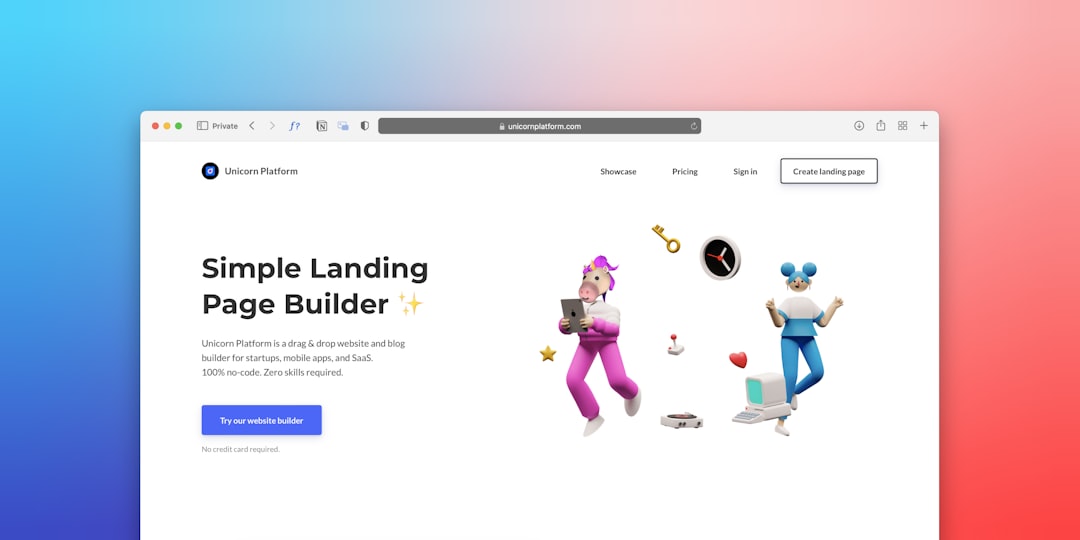
Building a professional website no longer requires a large development budget or years of technical training. Modern website builders now serve everyone from first-time creators to experienced designers, offering templates, drag-and-drop editing, ecommerce tools, hosting, analytics, and integrations in one place. The key is not choosing the most popular platform, but choosing the one that matches your goals, skill level, budget, and need for future growth.
TLDR: The best website builder depends on what you want to create and how much control you need. Beginners may prefer simple drag-and-drop tools such as Wix or Squarespace, while designers and growing businesses may benefit from platforms like Webflow, Shopify, or WordPress.com. Look closely at pricing, customization, SEO features, ecommerce support, and scalability before committing. A good builder should help you launch quickly without limiting your website’s long-term potential.
Why Website Builders Matter Today
A website is often the first serious point of contact between a brand and its audience. Whether you are launching a portfolio, an online store, a consulting business, a nonprofit website, or a personal blog, your site must look credible, load quickly, and work well on mobile devices. Modern website builders make this possible by combining design tools, hosting, security, and content management into one streamlined system.
However, convenience should not be confused with simplicity alone. A reliable website builder should also offer stability, support, SEO controls, accessibility options, and room to grow. The right choice can save time and money, while the wrong one can lead to redesigns, migration issues, or limited functionality later.

For Complete Beginners: Wix and Squarespace
If you are building your first website, Wix and Squarespace are two of the most approachable options. They provide polished templates, visual editors, built-in hosting, and useful business features without requiring coding knowledge.
Wix is known for flexibility. Its drag-and-drop editor allows users to place elements almost anywhere on a page, making it a strong choice for small businesses, freelancers, restaurants, local services, and personal websites. It also includes appointment booking, forms, basic ecommerce, marketing tools, and AI-assisted setup options. The main advantage is creative freedom, though users should avoid overloading pages with too many animations or apps, as this may affect performance.
Squarespace is often preferred by users who want a refined, editorial look with less manual design work. Its templates are structured, elegant, and especially suitable for portfolios, photographers, coaches, boutique businesses, and content-driven websites. Squarespace also offers blogging, scheduling, email marketing, and ecommerce features. It is slightly less flexible than Wix in some layout details, but its consistency can be an advantage for users who want a professional result quickly.
- Choose Wix if you want maximum visual flexibility and a wide range of built-in features.
- Choose Squarespace if you want polished design, strong templates, and a more guided editing experience.
For Simple One-Page Sites: Carrd
Not every project needs a complex website. If your goal is to create a landing page, personal profile, event page, product waitlist, or link-in-bio style website, Carrd is a practical and affordable option. It is lightweight, fast, and focused on simplicity.
Carrd is especially useful for creators, consultants, and early-stage startups that need a clean online presence without managing multiple pages. While it is not ideal for large websites or advanced ecommerce, it performs well for focused communication. A one-page site can be highly effective when the message is clear, the call to action is visible, and the design remains uncluttered.
For Designers and Advanced Control: Webflow and Framer
For users who care deeply about layout control, interactions, and responsive design, Webflow and Framer offer more advanced creative possibilities. These platforms are not as beginner-friendly as basic drag-and-drop builders, but they reward users who understand design structure.
Webflow is a powerful platform for designers, agencies, and businesses that want custom websites without building everything from scratch in code. It offers precise control over spacing, typography, responsiveness, animations, and content collections. Webflow is particularly strong for marketing sites, portfolios, SaaS websites, and content-rich business pages. Its learning curve is real, but so is its professional capability.
Framer has become popular for modern landing pages, startup websites, and interactive designs. It blends visual design with publishing tools and is well suited for teams that want attractive pages with contemporary motion and fast iteration. Framer can be easier to approach than Webflow for certain design workflows, though users with complex content or large-scale requirements should evaluate it carefully.

For Online Stores: Shopify
If ecommerce is your main priority, Shopify remains one of the strongest website builders available. Unlike general website builders that add ecommerce as a feature, Shopify is built around selling products. It includes product management, inventory tools, payment processing, shipping integrations, discount codes, abandoned checkout recovery, and a large app marketplace.
Shopify is a strong fit for physical products, digital goods, dropshipping, retail brands, and businesses planning to scale. Its themes are professional, and its backend is designed for merchants rather than developers. While monthly costs and app fees can increase over time, the platform’s reliability and ecommerce depth often justify the investment for serious sellers.
When evaluating Shopify, consider your product catalog size, shipping needs, tax requirements, payment options, and reporting expectations. A store should not only look attractive; it must also support smooth purchasing, secure transactions, and efficient operations.
For Content and Flexibility: WordPress.com
WordPress.com is a strong choice for bloggers, publishers, educators, organizations, and businesses that expect to publish content regularly. It is based on the WordPress ecosystem, which has long been associated with flexible content management and strong publishing tools.
WordPress.com differs from self-hosted WordPress in that hosting, maintenance, and security are managed for you, depending on the plan. This makes it more accessible while still offering many customization options. It can support blogs, business websites, membership-style content, and even ecommerce on higher-tier plans.
The main benefit is long-term flexibility. If content strategy, search visibility, and structured publishing matter to your website, WordPress.com deserves serious consideration. However, users should review plan limitations carefully, because advanced plugins and deeper customization may require higher pricing tiers.
For Agencies and Client Work: Duda
Duda is often overlooked by individual users but respected among agencies and professionals who build websites for clients. It offers responsive templates, client management tools, white-label options, team collaboration, and efficient site production workflows.
Duda is particularly useful for marketing agencies, freelance web professionals, and service providers who need to produce reliable websites at scale. Its editor is structured, its hosting is managed, and its business-oriented features can reduce repetitive work. For a single personal website, it may be more than necessary; for managing multiple client sites, it can be highly efficient.
What to Consider Before Choosing
Before committing to a website builder, take a practical look at your needs. Switching platforms later can be time-consuming, so it is worth making a careful decision early.
- Ease of use: Can you update pages, images, and text without external help?
- Design quality: Are the templates modern, mobile-friendly, and suitable for your industry?
- SEO tools: Can you edit page titles, descriptions, URLs, alt text, and structured content?
- Performance: Does the site load quickly, especially on mobile connections?
- Ecommerce support: If you sell online, are payments, taxes, shipping, and inventory handled properly?
- Scalability: Will the platform still work if your traffic, content, or product range grows?
- Pricing transparency: Are essential features included, or will you need paid add-ons?
- Support: Is help available when something breaks or when you need guidance?

Matching Builders to Skill Levels
For beginners, the priority should be clarity and support. Wix, Squarespace, and Carrd make it possible to publish quickly with minimal technical friction. For intermediate users, Shopify and WordPress.com provide deeper business and content tools while remaining manageable. For advanced users, designers, and agencies, Webflow, Framer, and Duda offer greater control and professional workflows.
It is also important to think beyond launch day. A website is not a static brochure; it often becomes a central business asset. You may need to add new pages, improve SEO, connect analytics, launch campaigns, publish articles, test landing pages, or expand into ecommerce. The best platform is one that supports these steps without forcing you into unnecessary complexity.
Final Thoughts
Modern website builders have made professional web design more accessible than ever, but thoughtful selection still matters. A simple portfolio, a serious online store, and a high-converting business website each require different strengths. Rather than chasing every feature, focus on what your site must accomplish and how confidently you can maintain it.
If you want speed and simplicity, choose a beginner-friendly builder. If you want design precision, consider a more advanced platform. If you want to sell online, prioritize ecommerce infrastructure. With the right website builder, you can create a site that looks professional, serves your audience, and grows with your ambitions.