AI-native code editors worth shortlisting are Cursor, Windsurf, GitHub Copilot in VS Code, Replit, Zed, and JetBrains AI Assistant. They help developers write code, explain strange errors, refactor old files, and ship routine work with less friction. The strongest proof is practical: GitHub reported that developers completed a coding task 55% faster with Copilot in a controlled study [source: GitHub].
TLDR: Teams that write a lot of boilerplate, tests, API routes, or UI components will usually see the fastest gains from AI-native editors. For example, a developer building a login form can ask the editor to create the React component, add validation, write tests, and explain a failing error in minutes. The tools are not equal, though. Cursor is strong for codebase-aware edits, Windsurf feels smooth for agent-style workflows, and JetBrains is a good fit for teams already inside IntelliJ, PyCharm, or WebStorm.

1. Cursor
Cursor is often the first name developers mention when they talk about AI-first coding. It feels like VS Code, but its AI features sit closer to the center of the workflow. Developers can ask questions about the whole project, edit several files at once, and generate code from plain language.
Its best feature is codebase context. A developer can ask, “Why does checkout fail when the cart is empty?” and Cursor can inspect related files before answering. That saves time compared with copying snippets into a chatbot. The catch is that big edits still need review. It can change too much if the prompt is vague.
- Best for: full-stack teams, startups, solo builders
- Strong point: multi-file edits and project-aware chat
- Annoyance: generated changes can be too broad
2. Windsurf
Windsurf, built by Codeium, focuses on an agentic coding flow. Its Cascade feature can understand intent, update files, run commands, and keep context across a task. It is useful when a developer wants the editor to handle more than autocomplete.
For example, a team could ask Windsurf to add a settings page, wire it to an API, create missing types, and suggest tests. That kind of flow is where it shines. Honestly, it feels like the editor is doing the boring middle steps that usually drain an afternoon.
- Best for: developers who want guided task execution
- Strong point: agent-style coding with context
- Annoyance: users may need to pause and correct its plan
3. GitHub Copilot in Visual Studio Code
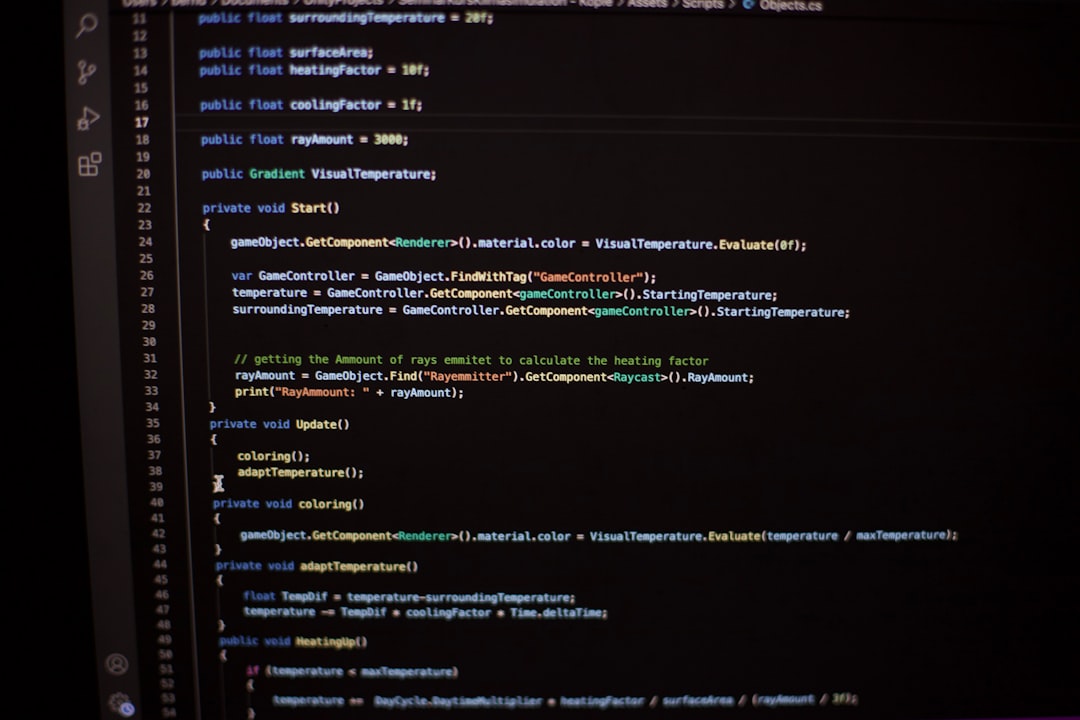
GitHub Copilot is not a separate editor, but inside VS Code it acts like a deeply integrated AI coding layer. It supports inline completions, chat, test generation, code explanations, and debugging help. For many teams, it is the easiest adoption path because they already use VS Code.
Copilot is especially useful for small repeated tasks. It can finish functions, suggest regex, draft unit tests, and explain stack traces. It also works well when paired with GitHub repositories and common languages such as JavaScript, TypeScript, Python, Go, and Java.
- Best for: teams already using VS Code and GitHub
- Strong point: broad language support and easy setup
- Annoyance: suggestions can feel generic in messy legacy code
4. Replit
Replit is a browser-based coding platform with AI built into the build loop. It is useful for prototypes, small apps, scripts, internal tools, and learning projects. Its AI can generate files, explain errors, and help deploy apps from the same workspace.
Replit’s biggest win is speed. A non-specialist can describe a simple app and get a working version without installing local tooling. That is great for product managers, students, founders, and small teams. The tradeoff is control. Larger engineering teams may still prefer local environments for complex systems.
- Best for: prototypes, education, small web apps
- Strong point: coding, hosting, and AI in one place
- Annoyance: complex projects can feel boxed in
5. Zed
Zed is a newer code editor built for speed, collaboration, and AI-assisted work. It has a clean interface and strong performance. Developers who dislike heavy editors may enjoy how fast it opens files and responds to input.
Zed supports AI chat and assistant features, but its appeal is not only generation. It is about reducing editor lag, improving collaboration, and keeping the coding space quiet. That matters when a developer jumps between services all day and every extra second feels annoying.
- Best for: developers who want a fast, modern editor
- Strong point: speed, simple interface, collaboration
- Annoyance: ecosystem depth is still catching up with older editors
6. JetBrains AI Assistant
JetBrains AI Assistant brings AI features into IDEs such as IntelliJ IDEA, PyCharm, WebStorm, PhpStorm, and Rider. This is a strong option for professional teams that already depend on JetBrains tools for refactoring, inspections, and debugging.
Its AI can explain code, suggest commits, generate documentation, write tests, and help with error messages. The real benefit is that it sits inside a powerful IDE. The developer gets AI help plus mature refactoring tools, type awareness, and debugger support.

- Best for: enterprise teams and JetBrains users
- Strong point: AI inside mature IDE workflows
- Annoyance: heavier than lightweight editors
How Teams Should Choose
The best choice depends on workflow. Cursor and Windsurf fit teams that want AI to edit across a codebase. Copilot in VS Code fits teams that want quick adoption. Replit works well for quick builds. Zed suits speed-focused developers. JetBrains AI Assistant fits teams that need strong IDE features with AI support.
Developers should still review every generated line. AI editors can invent APIs, miss edge cases, and create insecure code. They are productivity tools, not senior engineers. Used well, they remove dull work and help developers stay focused on design, logic, and quality.
FAQ
Are AI-native code editors safe for production code?
They can be safe if teams review output, run tests, scan dependencies, and avoid sharing sensitive secrets. Human review is still needed.
Which AI code editor is best for beginners?
Replit is often the easiest for beginners because it runs in the browser and needs little setup.
Which option is best for large codebases?
Cursor, Windsurf, and JetBrains AI Assistant are strong choices because they work well with project context and multi-file tasks.
Can AI editors replace developers?
No. They can speed up coding, testing, and debugging, but they still need developers to check logic, security, architecture, and user needs.
Do these tools help with debugging?
Yes. They can explain stack traces, suggest fixes, inspect related code, and create tests that reproduce bugs.