Google Images has long dominated the visual search landscape, but in 2026, users are no longer limited to a single ecosystem. Growing concerns about privacy, licensing clarity, AI‑generated content, and search personalization have led many individuals, marketers, designers, and researchers to explore alternatives. Whether the goal is copyright‑safe photos, AI‑enhanced visual search, or unbiased results, there are now powerful platforms that rival — and in some cases surpass — Google Images.
TL;DR: While Google Images remains popular, several platforms now offer better privacy, clearer licensing, AI‑powered visual search, and higher‑quality curated results. Top alternatives in 2026 include Bing Images, Shutterstock, TinEye, Openverse, and Pinterest Visual Search. The best choice depends on whether users prioritize copyright-safe downloads, reverse image search, creative inspiration, or commercial licensing. Each tool excels in different areas, making the “best” option highly dependent on user needs.
Why Look for an Alternative to Google Images?
There are several reasons users in 2026 are searching for alternatives:
- Privacy concerns: Personalized search tracking is not for everyone.
- Licensing confusion: Many images appear usable but carry unclear rights.
- AI-generated overload: Users may want filtered, authentic images.
- Specialized needs: Designers, researchers, and eCommerce sellers often require more advanced tools.
As visual content becomes central to branding, education, journalism, and AI development, choosing the right image search platform matters more than ever.
1. Bing Images – The Best Overall Alternative
Bing Images has emerged as the most direct and fully featured competitor to Google Images. Powered by Microsoft’s AI ecosystem, it delivers comparable — and sometimes superior — search relevance.
Key Advantages:
- Advanced visual search with object detection
- Clear licensing filters
- Integrated AI image creator (DALL·E powered tools)
- Strong similarity search functionality
Bing’s Visual Search allows users to crop within an image to isolate specific products or objects — a feature particularly useful for online shopping and research. Its layout feels familiar to Google users, which minimizes the learning curve.
Best for: Users wanting a nearly identical experience to Google with enhanced AI tools.
2. Shutterstock – Best for Licensed and Professional Images
For businesses, marketers, and publishers, Shutterstock is often considered the gold standard in licensed imagery. Unlike Google Images, which aggregates content from across the web, Shutterstock owns or manages rights to its inventory.
Key Advantages:
- Clear commercial licensing
- High-resolution, professional images
- Extensive video and vector library
- AI-powered creative assistant tools
In 2026, Shutterstock has expanded its AI catalog labeling system, ensuring users know whether content is AI-generated, human-created, or hybrid. This transparency gives it an edge for professional projects.
Best for: Businesses and content creators needing legally safe, high-quality visuals.
3. TinEye – Best for Reverse Image Search
TinEye remains one of the most powerful reverse image search engines available. Rather than helping users find new images by keyword, it specializes in tracking where an image appears online.
Key Advantages:
- Industry-leading reverse image technology
- Image tracking and verification tools
- Copyright and misuse detection
- No heavy personalization or tracking
Journalists, fact-checkers, and photographers use TinEye to detect image manipulation, identify original sources, and monitor unauthorized use. In an era of AI-generated deepfakes, that functionality is more important than ever.
Best for: Image verification, copyright monitoring, and investigative research.
4. Openverse – Best Free and Open-Source Option
Openverse, supported by the WordPress community, is a large open-source image search engine focused on Creative Commons content.
Key Advantages:
- Completely free to use
- Creative Commons licensing filters
- Audio and image search combined
- Simple, distraction-free interface
Unlike Google Images, which indexes the entire web without guaranteeing usage rights, Openverse aggregates openly licensed content from trusted platforms. Users can filter results by attribution requirements and license type.
Best for: Bloggers, educators, students, and non-profit organizations.
5. Pinterest Visual Search – Best for Inspiration and Discovery
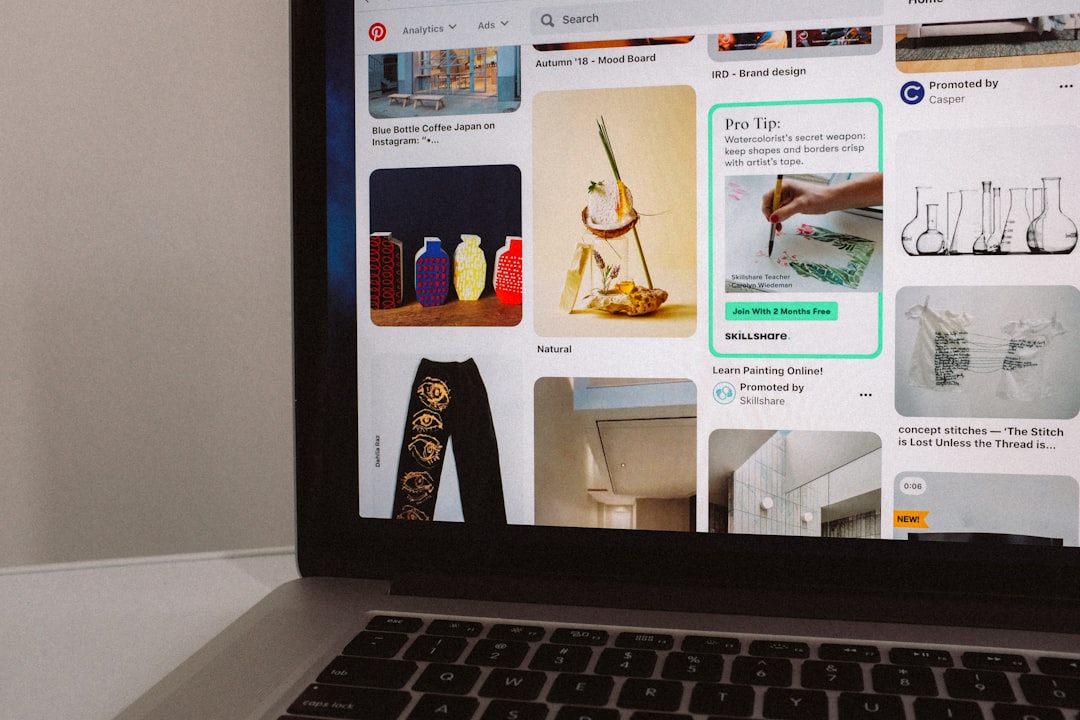
Pinterest Visual Search is not a traditional image search engine but excels in discovery-based browsing. Its AI visual recognition allows users to click on any object inside a pinned image and find visually similar results.
Key Advantages:
- Exceptional visual similarity matching
- Strong fashion, home decor, and design categories
- Trend-driven discovery feeds
- Highly visual interface
Pinterest thrives in lifestyle niches. For users seeking aesthetic inspiration rather than factual image lookup, it often delivers better curated results than Google.
Best for: Designers, fashion enthusiasts, interior decorators, and trend researchers.
Comparison Chart: Top Google Images Alternatives (2026)
| Tool | Best For | License Clarity | Reverse Search | AI Features | Free Option |
|---|---|---|---|---|---|
| Bing Images | All-around search | Moderate | Yes | Strong | Yes |
| Shutterstock | Commercial projects | Excellent | Limited | Strong | Limited |
| TinEye | Image verification | Not applicable | Excellent | Moderate | Yes |
| Openverse | Free CC content | Excellent | No | Basic | Yes |
| Visual inspiration | Limited | Limited | Strong | Yes |
Which Alternative Is Truly the Best?
The answer depends entirely on intent.
- If a user wants a Google-like experience with AI improvements, Bing Images is the strongest contender.
- If licensing certainty matters most, Shutterstock leads.
- For reverse lookup and authenticity checks, TinEye dominates.
- For free-to-use images with clear rights, Openverse excels.
- For inspiration and trends, Pinterest Visual Search is unmatched.
In 2026, the image search landscape is no longer about finding a single replacement for Google Images. It is about choosing specialized platforms that match specific use cases.
FAQ
1. What is the safest alternative to Google Images?
Shutterstock and Openverse are among the safest in terms of licensing clarity. They clearly outline how images can be used, reducing copyright risks.
2. Is there a free alternative to Google Images?
Yes. Bing Images, Openverse, TinEye, and Pinterest all offer free access. Openverse is particularly strong for free Creative Commons content.
3. What is the best reverse image search engine in 2026?
TinEye remains one of the most accurate reverse image search tools, particularly for tracking image origins and detecting duplicates.
4. Which alternative is best for commercial use?
Shutterstock is widely considered the best option for commercial projects due to its clear licensing and high-quality professional content.
5. Does Bing Images have AI tools?
Yes. Bing integrates advanced AI capabilities, including object detection within images and AI image generation tools powered by Microsoft’s partnerships.
6. Is Pinterest a search engine?
Pinterest functions more as a visual discovery platform than a traditional search engine, but its visual recognition technology makes it a powerful alternative for inspiration-based searches.
7. Why are people moving away from Google Images?
Common reasons include privacy concerns, confusion around image rights, and the growing presence of AI-generated content. Users increasingly prefer specialized tools tailored to their needs.
Final Thought: Google Images may still be dominant, but in 2026, it is no longer the only serious option. Whether users value AI innovation, copyright clarity, or creative exploration, there are now multiple powerful alternatives ready to serve different visual search demands.