Modern digital products generate vast amounts of user interaction data, but capturing that data accurately has traditionally required extensive event setup and engineering effort. In recent years, automatic event tracking tools similar to Heap have transformed product analytics by enabling teams to collect behavioral data without manual tagging. These platforms empower product managers, marketers, and analysts to explore user interactions instantly, reduce dependency on developers, and accelerate data-driven decisions.
TLDR: Automatic event tracking tools like Heap eliminate the need for manual event setup by capturing user interactions automatically. They allow teams to analyze clicks, form submissions, page views, and more without engineering support. Popular alternatives include Mixpanel, Amplitude, FullStory, PostHog, Pendo, and Smartlook. Choosing the right tool depends on product complexity, privacy requirements, budget, and the depth of behavioral insights needed.
Traditionally, product analytics relied on pre-defined events. Teams had to guess which actions would matter in the future and ask engineers to instrument them manually. If a key metric was missed, the only option was redeploying code and waiting for new data to accumulate. Automatic event tracking changed this paradigm by capturing every user interaction upfront, enabling retroactive analysis without additional development cycles.
What Is Automatic Event Tracking?
Automatic event tracking refers to capturing user interactions such as clicks, scrolls, form submissions, taps, and page views automatically once a tracking snippet is installed. Instead of defining and coding events in advance, the platform records interactions and allows teams to label, segment, and analyze them later.
Key benefits include:
- No manual setup: Eliminates the need to predefine events.
- Faster insights: Teams can analyze new behaviors instantly.
- Reduced engineering dependency: Product teams work independently.
- Retroactive reporting: Historical data is always available.
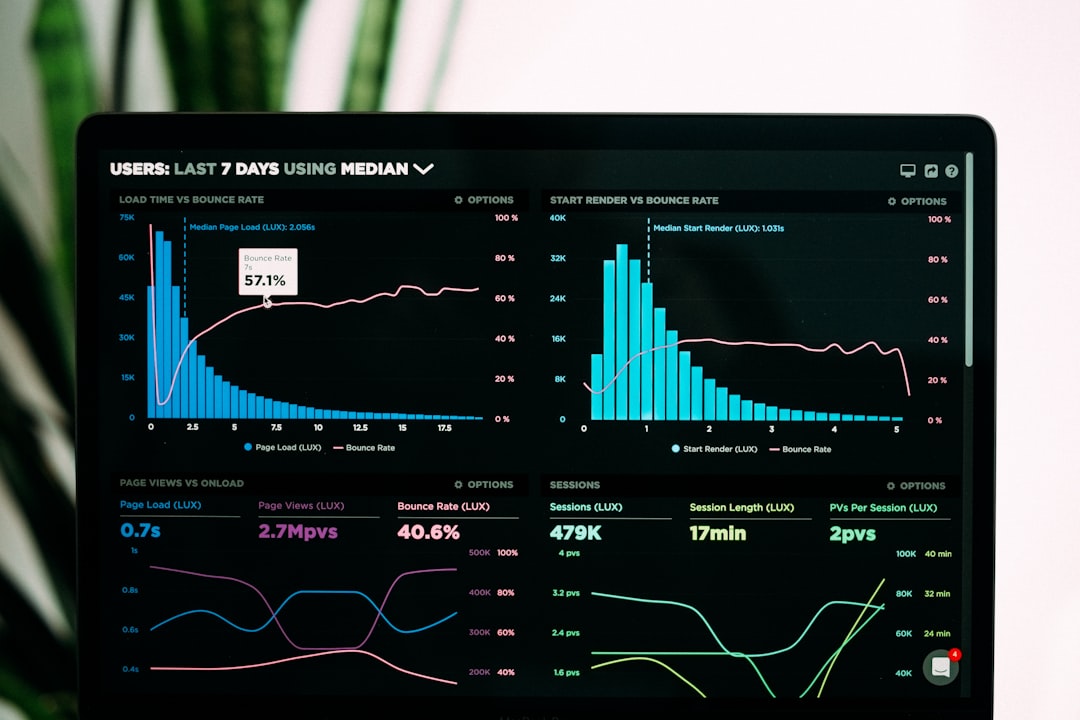
Why Teams Look for Tools Similar to Heap
Heap pioneered the autocapture analytics model, making it popular among growth and product teams. However, organizations often seek alternatives due to factors like pricing, data governance policies, feature sets, scalability needs, or open-source flexibility.
Different companies require different solutions. Startups may prioritize cost-effectiveness and ease of use, while enterprises may require advanced governance, compliance controls, and predictive analytics. Fortunately, multiple platforms now offer Heap-like functionality with unique strengths.
Top Product Analytics Tools with Automatic Event Tracking
1. Mixpanel
Mixpanel is a widely used product analytics platform offering powerful event-based tracking. While it traditionally relied on manual event setup, newer features provide autocapture functionality similar to Heap.
Highlights:
- Real-time reporting
- Advanced funnels and cohort analysis
- Strong user segmentation tools
- Autocapture options for web apps
Mixpanel is particularly appealing for teams focused on growth analytics and experimentation.
2. Amplitude
Amplitude is known for enterprise-grade behavioral analytics. It offers visual event tracking and autocapture options for web-based products.
Highlights:
- Robust behavioral cohorting
- Predictive analytics and insights
- Journey mapping features
- Scalable data governance

Amplitude works well for larger organizations seeking in-depth product intelligence.
3. FullStory
FullStory combines session replay with automatic event tracking, offering detailed visibility into user experiences.
Highlights:
- Session replay functionality
- Automatic interaction capture
- Heatmaps and frustration signals
- Error tracking insights
This platform is ideal for UX optimization and troubleshooting friction points.
4. PostHog
PostHog is an open-source analytics platform offering robust autocapture capabilities. It is highly customizable and can be self-hosted for maximum data control.
Highlights:
- Open-source flexibility
- Self-hosting options
- Feature flags and experimentation tools
- Strong community support
PostHog appeals to privacy-conscious companies and technically sophisticated teams.
5. Pendo
Pendo combines in-app guidance with autocapture analytics. It allows teams to analyze user behavior and deliver targeted onboarding experiences.
Highlights:
- Automatic event tracking
- In-app messaging and onboarding flows
- Product usage analytics
- NPS and feedback tools
Pendo is particularly valuable for SaaS companies focused on feature adoption.
6. Smartlook
Smartlook provides automatic event tracking with session replay, allowing teams to understand both quantitative and qualitative user behavior.
Highlights:
- Autocapture tracking
- Mobile and web support
- Conversion funnel analysis
- Session and heatmap visualization

Comparison Chart
| Tool | Automatic Tracking | Session Replay | Open Source | Best For |
|---|---|---|---|---|
| Heap | Yes | No | No | Fast, no-code analytics |
| Mixpanel | Partial | No | No | Growth and experimentation |
| Amplitude | Yes | No | No | Enterprise analytics |
| FullStory | Yes | Yes | No | UX and debugging insights |
| PostHog | Yes | Yes | Yes | Privacy-focused teams |
| Pendo | Yes | No | No | SaaS onboarding |
| Smartlook | Yes | Yes | No | Behavior visualization |
Key Features to Look For
While autocapture is essential, teams should evaluate additional capabilities when selecting a Heap alternative:
- Data governance: Role-based access and compliance features.
- Scalability: Ability to handle growing event volumes.
- Integration ecosystem: CRM, marketing, warehouse, and CDP integrations.
- Advanced analytics: Cohorts, funnels, retention, and forecasting.
- Privacy compliance: GDPR, CCPA, and data anonymization tools.
Organizations operating in highly regulated industries may prioritize self-hosted or region-specific data storage solutions.
Advantages of Automatic Event Tracking
Automatic tracking delivers measurable operational benefits:
- Speed: Insights are available immediately after installation.
- Flexibility: Teams can explore new hypotheses without code changes.
- Historical visibility: Previously untracked actions are accessible.
- Lower engineering costs: Reduced back-and-forth with development teams.
For fast-growing startups and agile product teams, these advantages can dramatically accelerate iteration cycles.
Potential Drawbacks
Despite their advantages, autocapture tools present some challenges:
- Data overload: Large volumes of captured events may require filtering.
- Privacy considerations: Sensitive data must be carefully masked.
- Performance impact: Improper implementation can slightly affect load times.
- Cost structures: Pricing often scales with event volume or sessions.
Proper configuration and governance are critical to ensuring clean and compliant data usage.
How to Choose the Right Tool
Organizations should start with a clear understanding of their product analytics maturity level. Smaller teams may prioritize ease of use and affordability. Mid-sized SaaS companies may focus on onboarding analytics and feature adoption. Enterprises typically require advanced governance and predictive modeling.
An effective evaluation framework includes:
- Defining primary business objectives
- Estimating monthly traffic and event volume
- Reviewing security compliance needs
- Testing usability with non-technical stakeholders
- Evaluating long-term scalability
Requesting demos and running trial implementations often provides the clearest insight into real-world usability.
The Future of Automatic Product Analytics
Automatic event tracking continues to evolve. Machine learning integration, prescriptive recommendations, and AI-powered insights are reshaping how teams interpret user data. Instead of simply visualizing metrics, modern analytics platforms increasingly recommend actions to improve retention, engagement, and conversion.
As privacy regulations tighten and customer expectations grow, tools that balance automation with privacy-conscious design will dominate the market. Transparent data practices and secure architecture are becoming competitive advantages.
FAQ
1. What makes automatic event tracking different from manual tracking?
Automatic event tracking captures user interactions by default, while manual tracking requires developers to code each event individually before data is collected.
2. Is automatic tracking suitable for enterprise-level companies?
Yes. Many enterprise-grade platforms like Amplitude and FullStory provide automatic tracking along with governance and compliance features tailored to large organizations.
3. Does automatic event tracking collect too much data?
It can generate large data volumes, but most modern tools allow filtering, masking, and event labeling to manage data efficiently.
4. Are there open-source alternatives to Heap?
Yes. PostHog is a popular open-source analytics platform offering autocapture functionality and self-hosting capabilities.
5. Can these tools integrate with data warehouses?
Most leading platforms integrate with data warehouses like Snowflake or BigQuery, as well as marketing and CRM systems.
6. Is session replay necessary for product analytics?
Not always. Session replay is valuable for UX troubleshooting but may not be essential for purely quantitative growth analysis.
Automatic event tracking tools similar to Heap have fundamentally reshaped how digital teams understand user behavior. By eliminating complex setup and enabling retroactive insights, these platforms accelerate experimentation and empower product-driven decision-making. As analytics technologies continue to mature, companies adopting flexible and privacy-conscious tools will be best positioned to optimize user experiences and drive sustainable growth.