Have you ever received an email from facebookmail.com and wondered whether it was genuinely from Facebook—or just another cleverly disguised scam? You’re not alone. As phishing attacks become increasingly sophisticated, many users are understandably cautious about emails claiming to come from major platforms.
TLDR: Yes, facebookmail.com is a legitimate domain owned and used by Meta (Facebook) for official communications. However, scammers can spoof email addresses to make messages appear authentic. To tell for sure, you must check the full sender address, inspect email headers, verify links before clicking, and confirm messages within your Facebook account settings. Never rely solely on the display name in your inbox.
In this guide, we’ll break down what facebookmail.com is, when it’s legitimate, how scammers imitate it, and the exact steps you can take to verify whether an email is safe.
What Is facebookmail.com?
facebookmail.com is an official email domain used by Facebook (owned by Meta) to send automated emails and user notifications. These emails may include:
- Password reset requests
- Security alerts
- Login attempt warnings
- Friend requests and notifications
- Advertising account updates
- Policy or privacy updates
In other words, if Facebook needs to contact you via email, there’s a good chance it will come from an address that ends in @facebookmail.com.
However, just because facebookmail.com is real doesn’t mean every message that appears to come from it is safe. Cybercriminals often use email spoofing to trick recipients into thinking a message is genuine.
Why Scammers Target Facebook Users
Facebook has billions of users worldwide, making it a prime target for phishing scams. Attackers rely on three psychological triggers:
- Urgency – “Your account will be disabled in 24 hours.”
- Fear – “Suspicious login detected.”
- Curiosity – “You have 5 new friend requests.”
Because users are so accustomed to receiving legitimate Facebook notifications, they may click without carefully verifying the message.
Is facebookmail.com a Scam?
No, facebookmail.com itself is not a scam. It is an official Meta-owned domain. The problem arises when scammers impersonate or spoof this domain.
There are three main scenarios:
- Legitimate email from facebookmail.com – Safe.
- Spoofed email that looks like facebookmail.com – Dangerous.
- Malicious domain that looks similar (e.g., faceb00kmail.com) – Scam.
The key is knowing how to distinguish between them.
How to Tell If a facebookmail.com Email Is Legitimate
1. Check the Full Sender Address
Do not trust the display name alone. Scammers often set the display name to something like “Facebook Security.”
Click or tap the sender’s details and inspect the actual email address. A legitimate email should end exactly with:
- @facebookmail.com
Be cautious of small changes such as:
- @faceb00kmail.com (zeros instead of “o”)
- @facebook-security.com
- @facebookmail.support
Even one additional letter can indicate fraud.
2. Inspect the Links Before Clicking
Hover your mouse over links (or press and hold on mobile) to preview the URL. A real Facebook link should direct you to:
- facebook.com
- www.facebook.com
- business.facebook.com
If the link redirects to a shortened URL, random string of characters, or slightly misspelled domain, do not click.
3. Check Your Facebook Account Directly
This is one of the safest verification methods.
Instead of clicking the email link:
- Open a new browser tab.
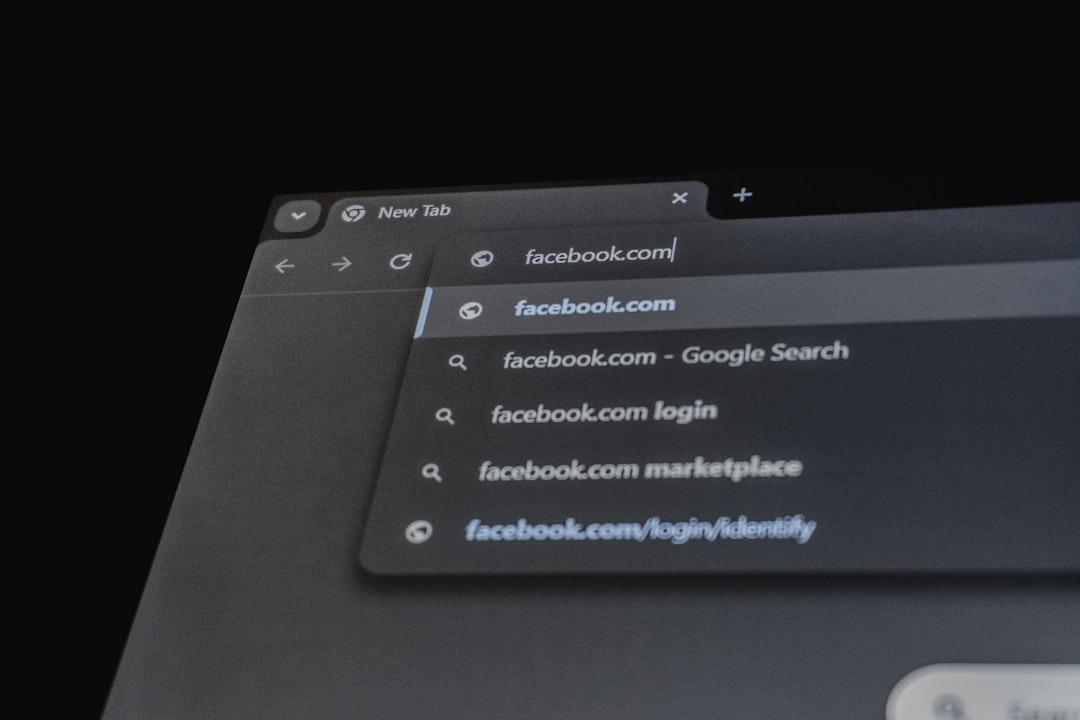
- Manually type facebook.com.
- Log into your account.
- Check your notifications or security settings.
If the message was legitimate (for example, a password reset), you’ll typically see a corresponding alert inside your account.
4. Examine the Email Headers (Advanced Method)
For users comfortable with technical details, email headers reveal where an email originated.
Look for:
- SPF authentication
- DKIM signature
- DMARC pass status
If these authentication checks fail, the message may be spoofed.
5. Watch for Red Flags in the Content
Even if the email appears to come from facebookmail.com, content can reveal inconsistencies.
Common phishing signs:
- Spelling or grammar mistakes
- Generic greeting (“Dear User”)
- Requests for passwords or personal information
- Threats of immediate account suspension
- Attachments you weren’t expecting
Facebook will never ask you to reply with your password via email.
Common Legitimate facebookmail.com Emails
To help you understand what authentic emails look like, here are typical examples:
- “Someone tried to log into your account from a new device.”
- “Reset your Facebook password.”
- “You have new notifications waiting.”
- “Your ad account performance update.”

They usually:
- Include your name
- Use consistent branding
- Link directly to Facebook’s official domain
- Do not request sensitive information via reply
Comparison: Legitimate vs. Fake facebookmail.com Email
| Feature | Legitimate Email | Phishing Email |
|---|---|---|
| Sender Address | Ends with @facebookmail.com exactly | Slight misspelling or strange domain |
| Greeting | Usually personalized | Generic (“Dear Customer”) |
| Links | Direct to facebook.com | Redirect to unfamiliar website |
| Urgency | Informative but calm | Threatening or high pressure |
| Requests | Asks you to log in through official site | Asks for password, payment, or verification data |
Extra Safety Tips
To further protect yourself:
- Enable two-factor authentication on Facebook.
- Turn on login alerts.
- Keep your browser updated.
- Use a reputable antivirus program.
- Never download unexpected attachments.
Two-factor authentication is especially powerful. Even if a scammer obtains your password, they still can’t access your account without your second verification method.
What to Do If You Clicked a Suspicious Link
Don’t panic—but act quickly.
- Change your Facebook password immediately.
- Enable two-factor authentication.
- Check for unfamiliar login sessions.
- Scan your device for malware.
- Report the phishing email to Facebook.
The faster you respond, the lower the risk of account compromise.
Why facebookmail.com Looks Suspicious to Some Users
Many people expect official emails to come from @facebook.com, not @facebookmail.com. The added word “mail” can create doubt.
However, large companies often use separate domains for automated messaging systems. This helps them:
- Manage email deliverability
- Prevent domain blacklisting
- Separate operational communications
- Improve security monitoring
It may look unusual at first glance, but it is completely normal from a technical standpoint.
Final Verdict: Is facebookmail.com Legit?
Yes, facebookmail.com is a legitimate domain owned by Meta and used for official Facebook communications.
That said, always verify individual emails. Cybercriminals rely on familiarity and trust. By double-checking sender addresses, hovering over links, and confirming requests inside your Facebook account, you can confidently determine whether a message is genuine.
When it comes to online security, a few extra seconds of caution can prevent serious problems. Trust—but verify.
And remember: if an email pressures you into acting immediately, that’s your cue to slow down.