Business cards remain one of the most powerful offline networking tools. Despite the rise of digital communication, a well-designed card still creates a memorable first impression and reinforces brand identity. Today, entrepreneurs, freelancers, and enterprises can choose from dozens of platforms ranging from simple template-based generators to premium design ecosystems with advanced customization and print services.
TLDR: Business card tools range from basic template editors to premium branding platforms with advanced customization, print integration, and AI features. Basic tools are affordable and easy to use but offer limited flexibility. Mid-range platforms balance customization and convenience, while premium tools focus on branding depth and high-end finishes. Choosing the right tool depends on budget, creative control needs, and print quality expectations.
What Separates Basic from Premium Tools?
Not all business card tools are built the same. The main differences typically fall into the following categories:
- Design Flexibility: Template-only vs. full creative control
- Customization Options: Fonts, layouts, branding assets
- Print Quality: Paper weight, finishes, specialty effects
- Integration: CRM tools, QR codes, NFC, and digital business cards
- Pricing: Free, subscription-based, or premium packages
The following comparison explores 12 popular tools across basic, mid-tier, and premium levels.
Comparison Chart: 12 Business Card Tools
| Tool | Tier | Customization | Print Services | Best For |
|---|---|---|---|---|
| Canva | Basic | Moderate | Yes | Beginners & freelancers |
| VistaCreate | Basic | Moderate | No | Social-first brands |
| PsPrint | Basic | Low | Yes | Quick prints |
| Jukebox | Mid | High | Yes | Creative professionals |
| MOO | Mid | High | Premium | Startups & agencies |
| Zazzle | Mid | Moderate | Yes | Custom illustrated styles |
| Vistaprint | Mid | Moderate | Yes | Small businesses |
| Adobe Express | Mid | High | No | Creative control seekers |
| GotPrint | Mid | Low | Yes | Budget bulk orders |
| CorelDRAW | Premium | Very High | No | Professional designers |
| Adobe Illustrator | Premium | Very High | No | Brand agencies |
| Print Peppermint | Premium | High | Luxury | High end brands |
Basic Business Card Tools
Basic tools are designed for speed and simplicity. They are ideal for entrepreneurs who need something affordable and quick.
1. Canva
Canva provides drag-and-drop editing with thousands of templates. While the customization is limited compared to professional design tools, it’s excellent for users without design experience.
2. VistaCreate
Similar to Canva, VistaCreate emphasizes template-based design. It works well for matching business cards with social media branding, though print integrations may vary.
3. PsPrint
PsPrint focuses more on printing than deep design customization. Users upload files or tweak simple templates before ordering.
Pros of Basic Tools:
- Low cost
- Easy learning curve
- Fast turnaround
Cons:
- Limited originality
- Template-heavy aesthetics
- Restricted font and file control
Mid-Tier Business Card Tools
Mid-range platforms strike a balance between affordability and customization. They often include stronger branding options and higher-quality print finishes.
4. Jukebox
Popular among creatives, Jukebox offers unique paper stocks and special finishes like foil and embossing.
5. MOO
MOO is known for premium-feeling cards with thick paper and vibrant color accuracy. It also allows multiple designs within a single batch.
6. Zazzle
Zazzle caters to highly customized designs, often incorporating artistic or illustrated layouts.
7. Vistaprint
A household name for small businesses, Vistaprint offers dependable results with moderate customization.
8. Adobe Express
Adobe Express allows greater branding flexibility while still being beginner-friendly.
9. GotPrint
Best for bulk orders on a budget, GotPrint prioritizes affordability over luxury finishes.
Pros of Mid-Tier Tools:
- Better paper and finish options
- Improved brand consistency
- Greater layout freedom
Cons:
- Higher cost than basic tools
- Still template-influenced
Premium Business Card Tools
Premium tools cater to professional designers and brands that demand meticulous control.
10. CorelDRAW
CorelDRAW enables complete vector customization, suitable for precise branding requirements.
11. Adobe Illustrator
Industry-standard software for vector design, Illustrator gives designers full typographic and layout control.
12. Print Peppermint
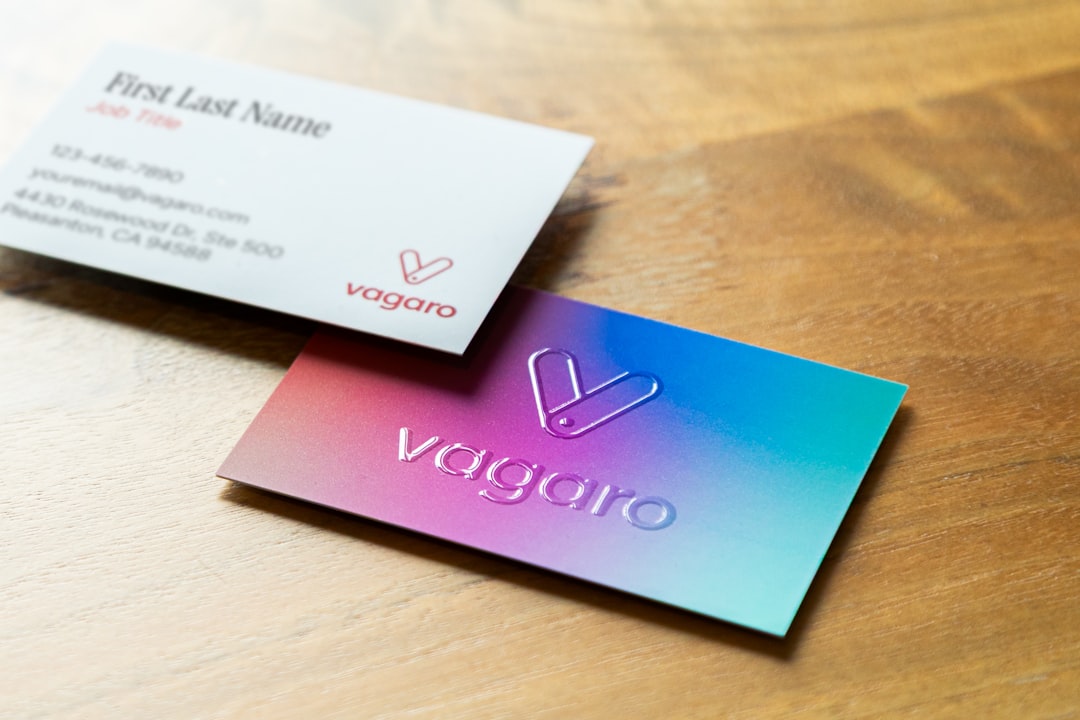
Focused on luxury printing, this platform specializes in high-end finishes like duplexed paper, edge painting, and letterpress.
Pros of Premium Tools:
- Total design freedom
- High-end production quality
- Perfect for consistent brand systems
Cons:
- Steeper learning curve
- Higher cost
- May require professional designers
Key Features to Compare
1. Paper Quality
Premium cards often feature thicker stock (16pt+), textured finishes, and specialty coatings.
2. Printing Techniques
- Foil stamping
- Embossing and debossing
- Letterpress
- Spot UV coating
3. Digital Integration
Modern cards may include QR codes or NFC technology linking to digital profiles.
4. Branding Consistency
Premium design platforms allow exact color matching through CMYK and Pantone controls.
Choosing the Right Tool
The best tool depends on specific goals:
- Freelancers: Canva or Adobe Express may suffice.
- Growing startups: MOO or Jukebox offer elevated branding.
- Agencies: Illustrator paired with luxury print vendors ensures precision.
- Budget-conscious businesses: GotPrint or PsPrint provide cost-effectiveness.
Decision-making should consider long-term brand value, not just upfront cost. A premium-feeling business card can significantly affect client perception.
Future Trends in Business Card Design
Emerging trends include:
- Minimalist layouts with bold typography
- Sustainable materials such as recycled paper
- Digital hybrid cards combining print and NFC technology
- Transparent or metal cards for luxury markets
As personalization technology advances, the line between physical and digital networking tools continues to blur.
Frequently Asked Questions (FAQ)
1. Are premium business card tools worth the investment?
Yes, especially for brands that rely heavily on in-person networking. Premium tools offer superior materials, finishes, and brand consistency that elevate professional perception.
2. Can beginners use premium design software?
While possible, premium tools like Illustrator have a steep learning curve. Beginners often prefer mid-tier platforms unless they plan to invest time in learning design skills.
3. What is the most important factor when choosing a business card tool?
The key factor is alignment with brand goals. Budget, level of customization needed, and print quality expectations should guide the decision.
4. How much should a business spend on business cards?
Costs vary widely. Basic cards may cost under $20 for small batches, while luxury options with specialty finishes can run significantly higher.
5. Are digital business cards replacing printed ones?
Digital cards are growing in popularity, but printed cards remain valuable for tangible, memorable exchanges during networking events.
6. What finish makes a business card look most premium?
Letterpress, foil stamping, embossed textures, and thick duplexed stocks tend to create the most luxurious impression.
From basic template-based editors to premium design ecosystems, today’s business card tools offer solutions for every need and budget. The transition from basic to premium ultimately reflects a company’s commitment to brand identity, quality, and the lasting impact of first impressions.