
Small businesses and solopreneurs often face the daunting task of managing content strategies without the help of large marketing teams or agencies. Fortunately, technology has come to the rescue. Today, there are compact, user-friendly marketing apps that empower users to plan, collaborate, and publish content seamlessly while keeping things under budget and under control.
TLDR:
If you’re a small business or content creator managing your marketing in-house, you don’t need expensive agencies to produce, organize, or distribute your content. Tools like Trello, Buffer, and Canva help you plan and design content efficiently. Meanwhile, platforms like Later and Zoho Social let you schedule and publish across multiple social accounts. These seven powerful tools give you control over your entire content pipeline—from planning to publishing.
1. Trello – Visual Content Calendar Planning
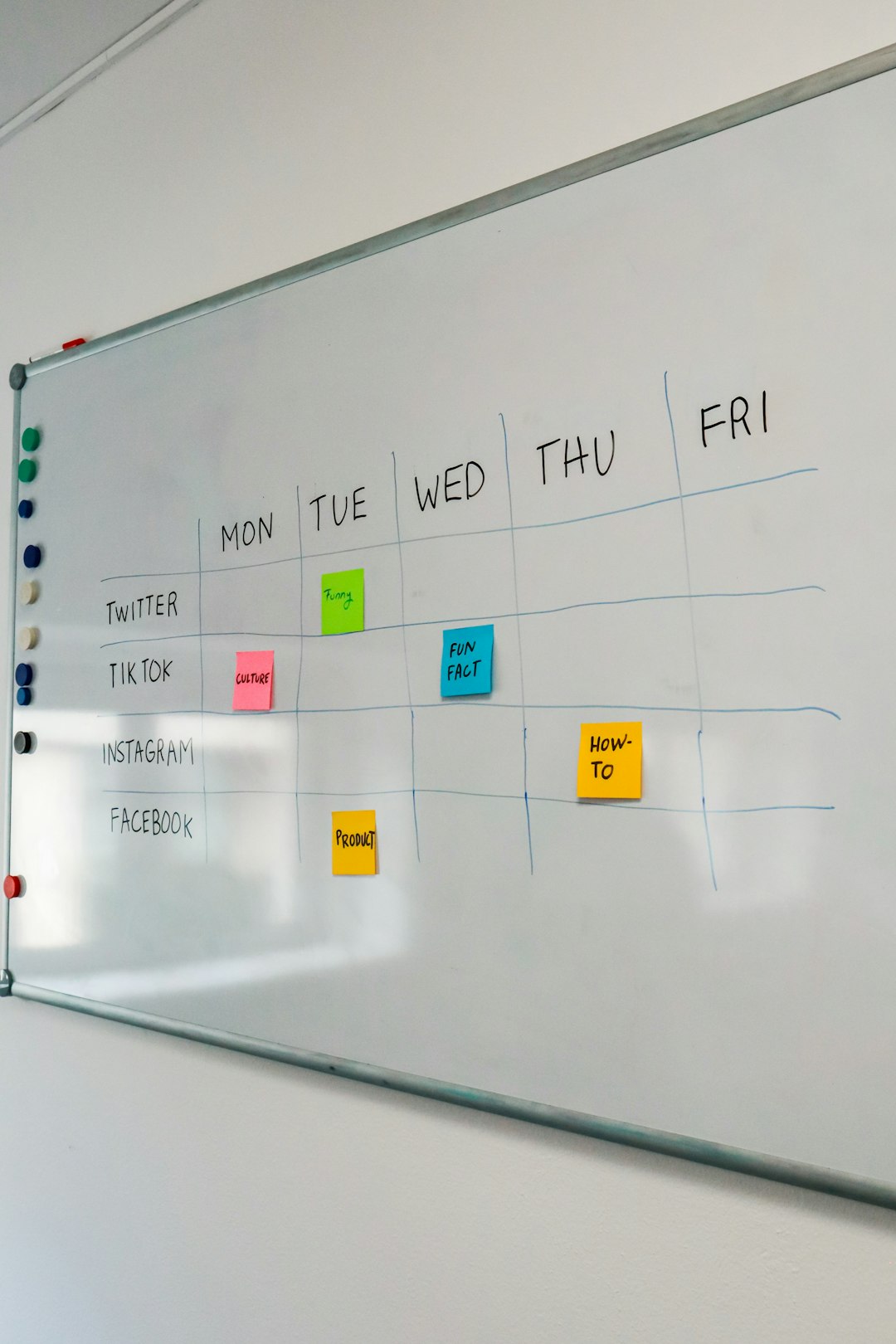
Trello is an intuitive project management app that works wonderfully as a content planning board. Unlike tools designed exclusively for marketing, Trello offers flexibility for teams to layout editorial calendars, organize topic ideas, and assign tasks without complexity.
- Strength: Visual drag-and-drop cards for content pieces
- Best for: Small teams and freelancers who want a clear dashboard of their tasks
- Integration: Google Drive, Slack, Calendar, Zapier
Trello makes collaboration easy with labels, checklists, and deadlines. It’s free for most basic use cases and has paid versions for automation and more complex workflows.
2. Buffer – The Social Publishing Pro
Buffer has carved out a reputation for being perfect for solo marketers and small brands. This app helps users schedule, publish, and track their social media posts across popular platforms like Facebook, Twitter, Instagram, and LinkedIn.
- Strength: Simplified scheduling for multiple networks
- Best for: Consistent posting cadence without daily manual effort
- Analytics: Basic post performance data to inform future content creation
Users can build publishing queues, customize captions for different platforms, and visually manage their content calendar within the app.
3. Canva – Professional-Level Visual Design for Free
For anyone creating marketing content, Canva is a godsend. It offers a vast collection of templates for social media graphics, blog headers, videos, and more—without needing graphic design skills.
- Strength: Drag-and-drop graphic design interface
- Best for: Branding content creation (social posts, presentations, infographics)
- Extras: Magic Resize, Text Animations, Brand Kit
The free version is generous, while the Pro version gives advanced functionalities like team sharing, content planner, and access to hundreds of premium assets.
4. Later – Instagram-Focused Scheduler for Visually Driven Brands
Later is a scheduling tool that initially launched as an Instagram-first platform but now supports all major social platforms. What makes it special is its visual drag-and-drop content calendar for planning how a profile feed will look.
- Strength: Visual planner, shoppable posts, hashtag suggestions
- Best for: E-commerce and lifestyle brands seeking visual cohesion on Instagram
- Unique Feature: Linkin.bio mini-website builder for promoting links from Instagram
For image- and video-heavy businesses, Later is especially useful to keep your brand voice cohesive visually and textually across scheduled posts.
5. Notion – Central Hub for Content Teams
Notion combines note-taking, databases, kanban boards, and simple task management under one roof. Though not a “marketing app” by design, it’s turned into a mission control center for many content marketing teams.
- Strength: Centralized platform for content calendars, editorial workflows, and documentation
- Best for: Organized content creation processes, adaptable for all team sizes
- Power Users’ Love: Templated pages for blog drafts, campaign briefs, and SOPs
Notion is especially great when you want to unify various aspects of your content pipeline—from writing outlines to storing assets—all in one space.
6. Zoho Social – Affordable Multi-Platform Publishing and Monitoring
Zoho Social is a value-packed app designed for small businesses that want detailed post scheduling, audience listening, and real-time engagement tracking minus the cost of premium tools like Hootsuite.
- Strength: Analytics, calendar views, and post customization for multiple accounts
- Best for: SMBs managing multiple clients or brands without breaking the bank
- Bonus: CRM integration if using Zoho ecosystem
Its audience engagement features are especially handy, allowing brands to reply directly from their dashboard and track conversation history.
7. Grammarly – Polished and Professional Content Every Time
Great content is not just about being creative—it also has to be clear and professional. Grammarly is an AI-powered writing assistant that checks grammar, tone, readability, and even engagement levels as users write their content.
- Strength: Grammar checking, clarity suggestions, tone analysis
- Best for: Businesses and writers who want polished blog posts, social updates, and emails
- Compatibility: Browser plugins, Word, Google Docs, and email integrations
It’s like having an editor on call that ensures everything you publish sounds like it’s been run through a professional proofreader.
Conclusion
You don’t need a full-service agency to take your content marketing efforts to new heights. These seven apps offer a mix of visual planning, publishing, writing, and collaboration features that cover everything from idea generation to publishing and performance feedback. They’re cost-effective, scalable, and versatile enough to support a solo entrepreneur or a small marketing team.
FAQs
Q: Which app is best for solo marketers?
A: For solo marketers, Buffer and Trello are powerful yet easy-to-use options that together cover both planning and publishing needs.
Q: Can I use these tools for free?
A: Yes. Most tools like Trello, Canva, and Buffer offer free tiers with robust feature sets suitable for startups and small businesses. You can always upgrade if your needs grow.
Q: Which app is best for teams?
A: Notion and Zoho Social are great for teams due to their collaborative features, especially when it comes to multi-user planning and cross-platform publishing.
Q: Do I need design skills for Canva?
A: No. Canva’s drag-and-drop interface and thousands of templates make it easy for anyone to design branded content quickly—even without previous experience.
Q: Is it necessary to use all seven apps?
A: Not at all. It depends on your workflow needs. Start with one or two that cover your main marketing requirements, and expand as your business grows or your strategy evolves.